
भारत के लिए/Built for BHARAT
Resolve tier-1 on the first ring.
Artha resolves routine support calls grounded in your knowledge base, and hands the tricky ones to a human with full context.
130+
Languages
24/7
Answering
3
Channels
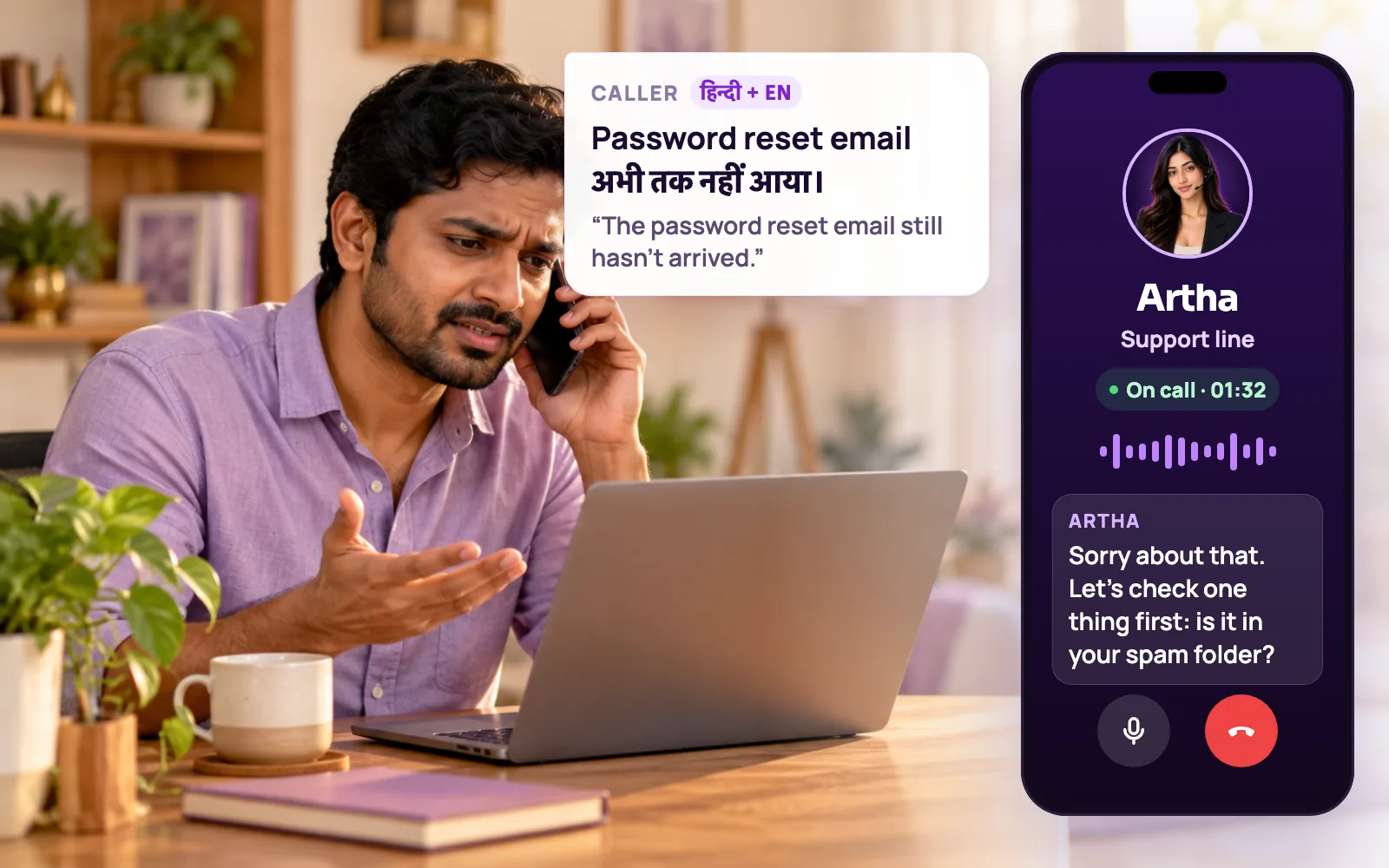
Test it on a call your team takes today.
Pick a situation your team handles today, then say the sample line or use your own words.

What Artha does
Acknowledges the failed attempt, checks the simple causes one at a time and avoids making the caller repeat themselves.

Useful outcome
Resolved step or a clean escalation with attempted actions.
Where the current workflow breaks.

Long queues
Callers wait on hold for simple answers. Artha resolves them instantly.

Inconsistent answers
Every response is grounded in your knowledge base, so answers stay accurate.

Messy escalations
Hands off to a human with the full transcript and context attached.
Hear it on a real call before you decide.
Artha answers in your language, works on your number and your website, and leaves a record of every call.

Consent and recording, your call
Require spoken consent, switch recording on or off and set how long records are kept.

130+ languages
Hindi, Hinglish and 9 other Indian languages included. The agent follows the caller.

Phone and website
The same agent can answer your number and the call button on your site.

Every call logged
A transcript for every call, plus the lead fields captured and the audio if recording is on.
How the conversation becomes an outcome.
- 1Step 1
1. Understand the failure
Capture what is broken and what the caller already tried.
- 2Step 2
2. Use approved knowledge
Answer from your help content and account-safe integrations.
- 3Step 3
3. Try one useful step
Guide the caller one action at a time and wait for the result.
- 4Step 4
4. Resolve or hand off
Close the issue or escalate with transcript and attempted steps attached.
The repetitive calls that fill a support queue.
How-to and policy questions
Answers come from the knowledge base you upload: help articles, policy documents or approved question and answer pairs. Strict mode keeps it to that material and has it say it will check with the team when something is missing.

Plan and product lookups
The live catalog holds structured items such as plans, products or services. The agent looks up full details only when a caller asks, which keeps calls quick.

One step at a time
It guides the caller through a fix one action at a time, waits for the result, and does not repeat steps the caller says they already tried.

Returning callers
With Memory on, the agent recognises a returning phone number and uses a short summary of earlier calls, so people are not asked to start over.
Callers in their own language
Hindi, regional Indian languages and English, with the agent switching when the caller does.

Phone and website
Answer an inbound number, or put a voice and chat button on your help pages so visitors can ask without dialling.
Escalation that keeps the story.
Anything outside approved knowledge, and any caller who asks for a person, should reach one.
Live transfer
Set a transfer phone number and the agent dials your colleague into the call, staying on until they answer.

Callback request
When no one is free, the agent records that the caller wants a callback, with their preferred time, and sends it as a callback event.

Transcript and summary attached
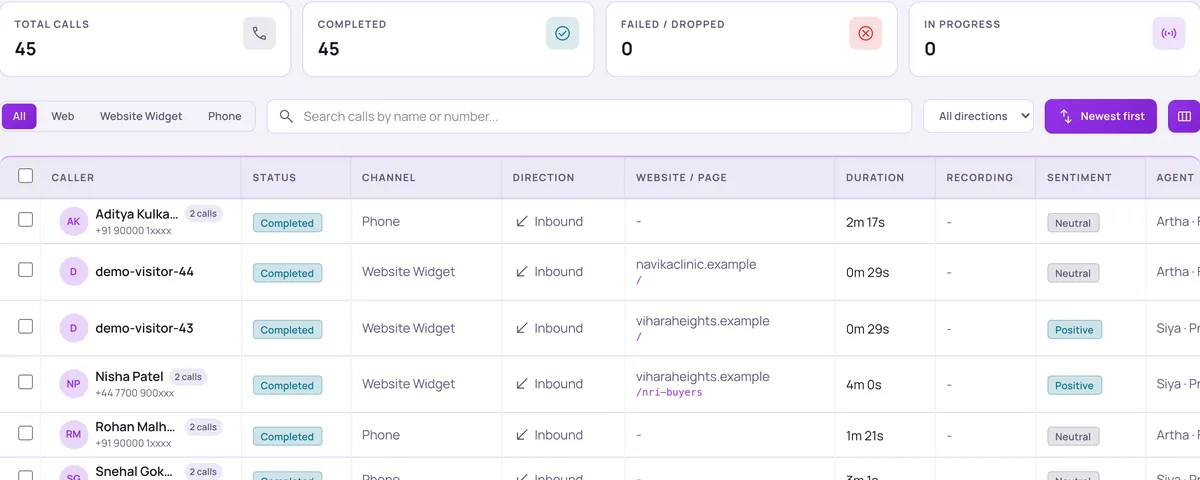
Open any call to read the full transcript, the summary, the sentiment badge, the recording and the fields captured, so the next person starts informed.
Into the tools your team already watches.
There is no built-in connector for a specific helpdesk product. Calls reach your team through these routes.

Webhook to your helpdesk
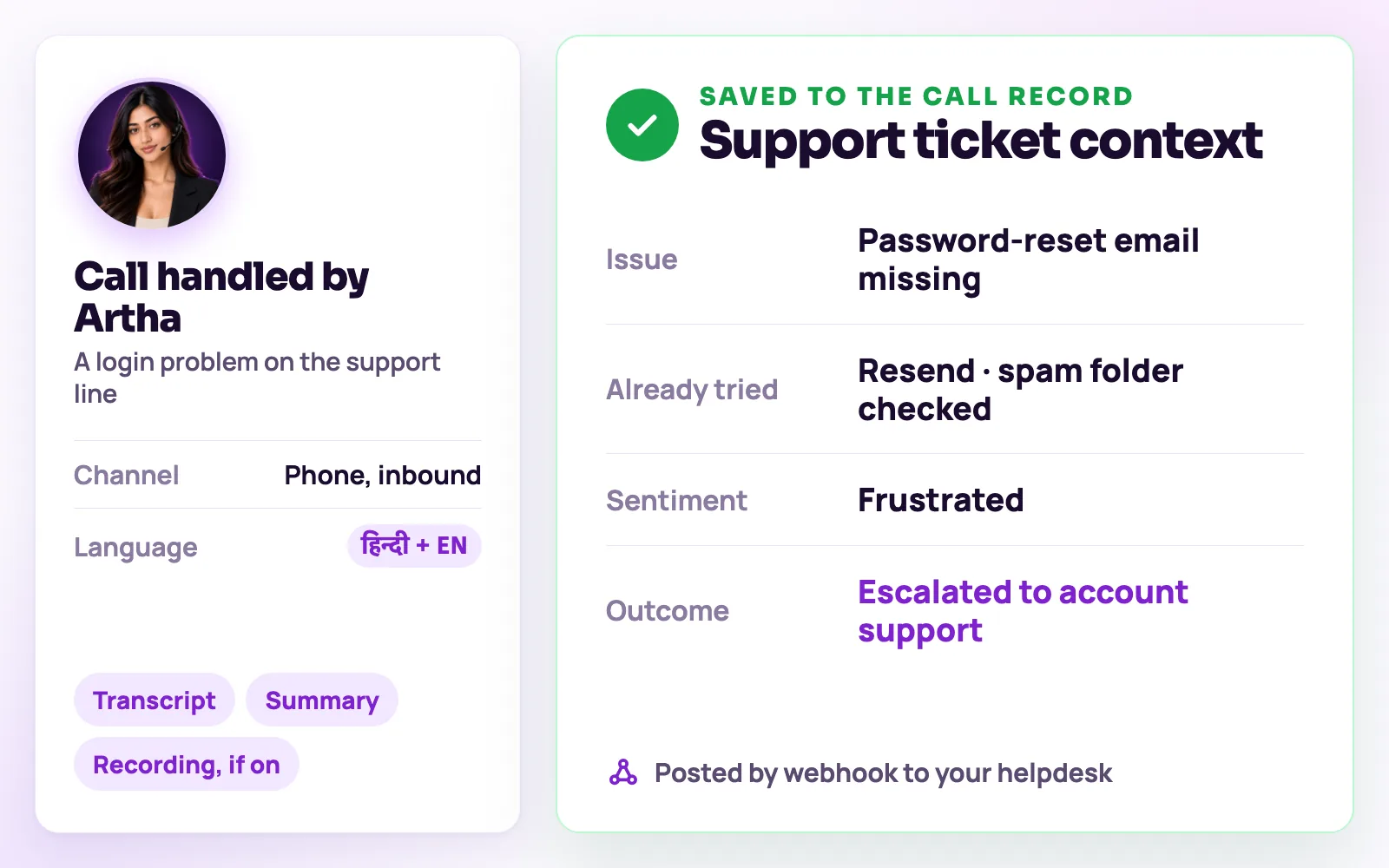
Every call can be posted as JSON to any URL, so a helpdesk that accepts a webhook can create a ticket from it, directly or through Zapier, n8n or Make.

Slack alerts
Post each escalation or callback request to the channel your support team watches.

Google Sheets log
Keep a running sheet of calls and captured fields for anyone who does not use the helpdesk.

Test before you go live
Run built-in Testing Lab scenarios such as impatient callers, interruptions, unsupported questions and transfers, then review the checks before changing a live workflow.
Support ticket context
Example only. Your agent captures the fields and outcomes configured for your workflow.
No manual call reconstruction.
- Tier-1 resolution
- Knowledge-grounded answers
- Context-rich handoff
- Transcript logging
The same screens your team will use.
These are views of the real Vistrow Voice dashboard, with sample data.
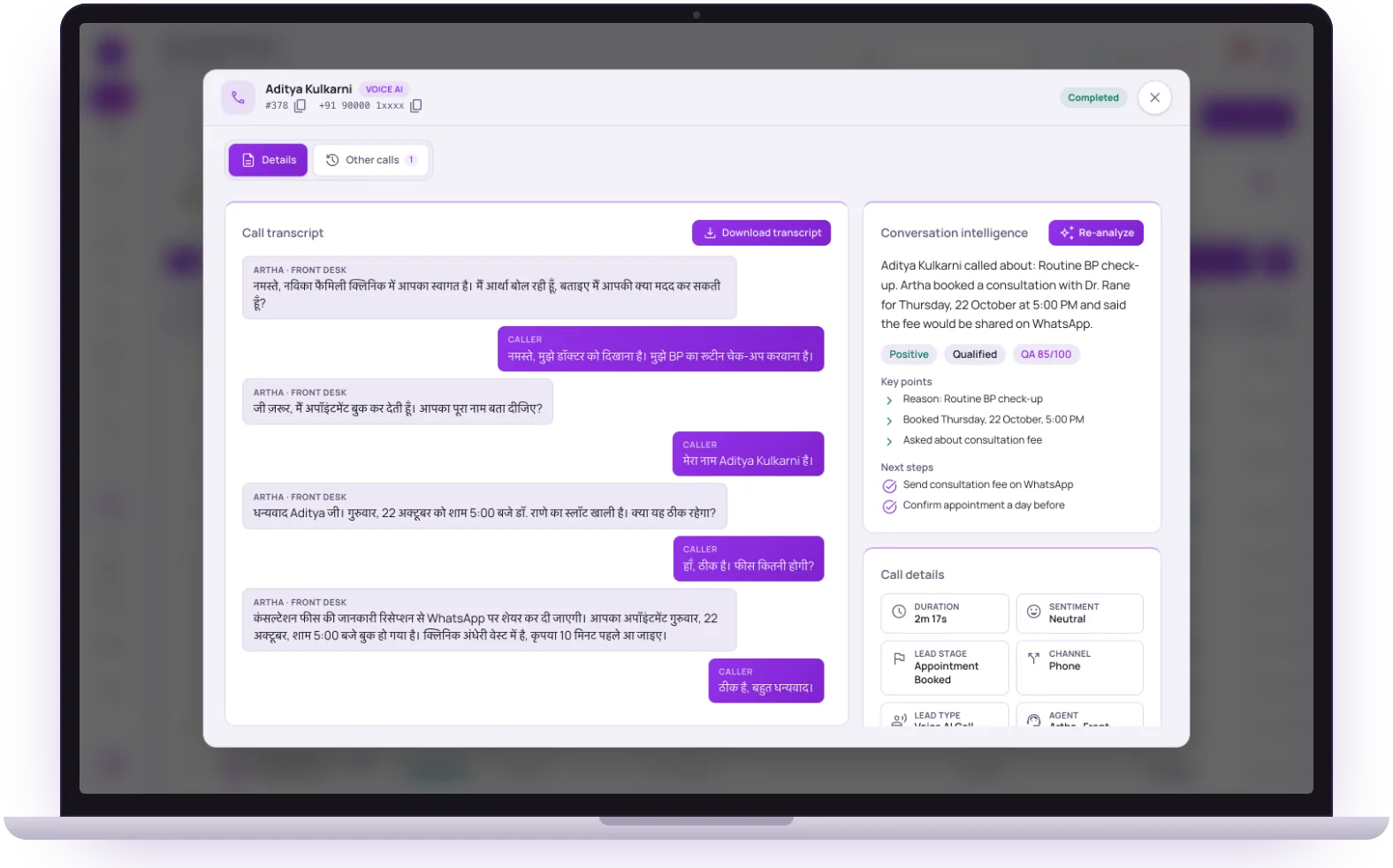
- 1
The full transcript
Download it, or let it travel with the lead to your tools.
- 2
Summary and next steps
Why they called, what was agreed and what your team should do next.
- 3
Lead stage and channel
The fields the agent captured are saved with the call and sent on.
The call should update the tools your team already uses.

Ticketing via webhook
Send the complete conversation context to your helpdesk through a webhook or an automation tool.

Knowledge base
Ground answers in your approved support documentation.
Human handoff
Transfer or schedule a callback without asking the caller to start again.
What Artha must never improvise.
Useful automation is grounded, auditable and honest about when a person needs to take over.

Never repeat troubleshooting the caller already completed.
Never invent account status, billing decisions or a resolution timeline.
Escalate when the caller requests a human or the issue leaves approved knowledge.
The questions buyers ask first.

What does it cost?
Usage is measured in minutes of conversation, and the voice and model you choose change how quickly minutes are used. Telephony is billed separately by the provider you connect.
How pricing works
How much setup is it?
No code. Set the persona, prompt, voice and language, test it in the browser, then publish. Later changes apply from the next call.
Create an agentCan a person take over?
On phone calls the agent can dial in the colleague you set and stay on until they answer. Website calls take a callback request instead.
Functions and transfer
What if it does not know?
With strict mode on, it quotes your approved answers and says it will check with the team when something is not covered, rather than guessing.
Knowledge baseStill deciding? Ask Artha yourself.
- No signup needed
- 5 free calls
- 130+ languages
Questions, answered.
The things people ask us most. If yours isn’t here, talk to us and a person will reply.
Ask us directlyRoutine, repetitive questions grounded in your knowledge base - timings, policies, status checks, and the like.
Artha hands off with the full transcript and context attached, so your team never has to ask the caller to repeat themselves.
Yes - upload your docs and Artha answers only from that material when strict mode is on.
There is no built-in connector for a specific helpdesk. Calls can be posted to any URL that accepts a webhook, or routed through Zapier, n8n or Make, which is how most helpdesks create tickets from outside events.
Yes, if Memory is turned on for the agent. It keeps a short summary of earlier calls from the same phone number and uses it to greet them.
Yes. Add a transfer phone number to the agent and it dials your colleague into the call, staying on until they answer. If nobody is free it can take a callback request.
Use the Testing Lab to run scenarios such as an impatient caller, an interruption or an unsupported question, and review the results before you publish.
Both. Attach a phone number for inbound calls, add the website widget to your help pages, or use the same agent on both.
Ready to try Artha for Support & Helpdesk?
Try Artha live in your browser, or book a walkthrough with our team.
- No signup needed
- 5 free calls
- 130+ languages