
A call button for any website.
Drop a one-tap voice button on your site - visitors talk to Artha in the browser, no phone number and no app. Install with one line or the WordPress plugin.
- No signup needed
- 5 free calls
- 130+ languages
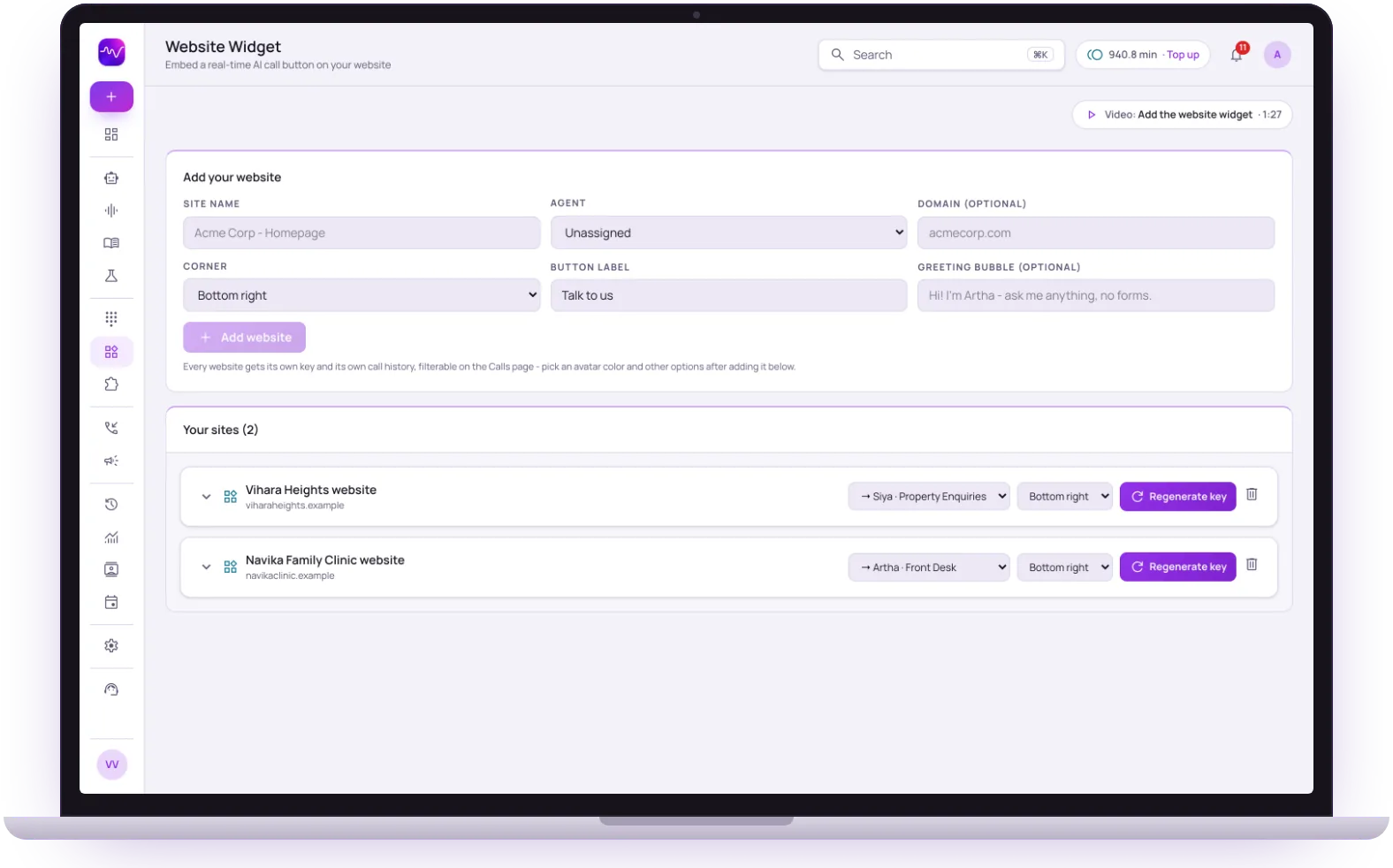 Browser call · no appName and phone asked first
Install
One line
Script tag or WordPress plugin
Visitors
No app
They talk in the browser
Modes
Voice or chat
Or both, your choice
Sites
Own key
And own call history

One-line embed
Paste a single script tag, or use our WordPress plugin - no coding required.

Browser calls
Real-time voice right in the page. Visitors just tap and talk.

Lead capture gate
Collects name and phone before the call so every conversation is a real lead.

On-brand
Position, label, and colours match your site - it feels native, not bolted on.
Hear it on a real call before you decide.
Artha answers in your language, works on your number and your website, and leaves a record of every call.

Consent and recording, your call
Require spoken consent, switch recording on or off and set how long records are kept.

130+ languages
Hindi, Hinglish and 9 other Indian languages included. The agent follows the caller.

Phone and website
The same agent can answer your number and the call button on your site.

Every call logged
A transcript for every call, plus the lead fields captured and the audio if recording is on.
From the dashboard to a live button in four steps.
- 1Step 1
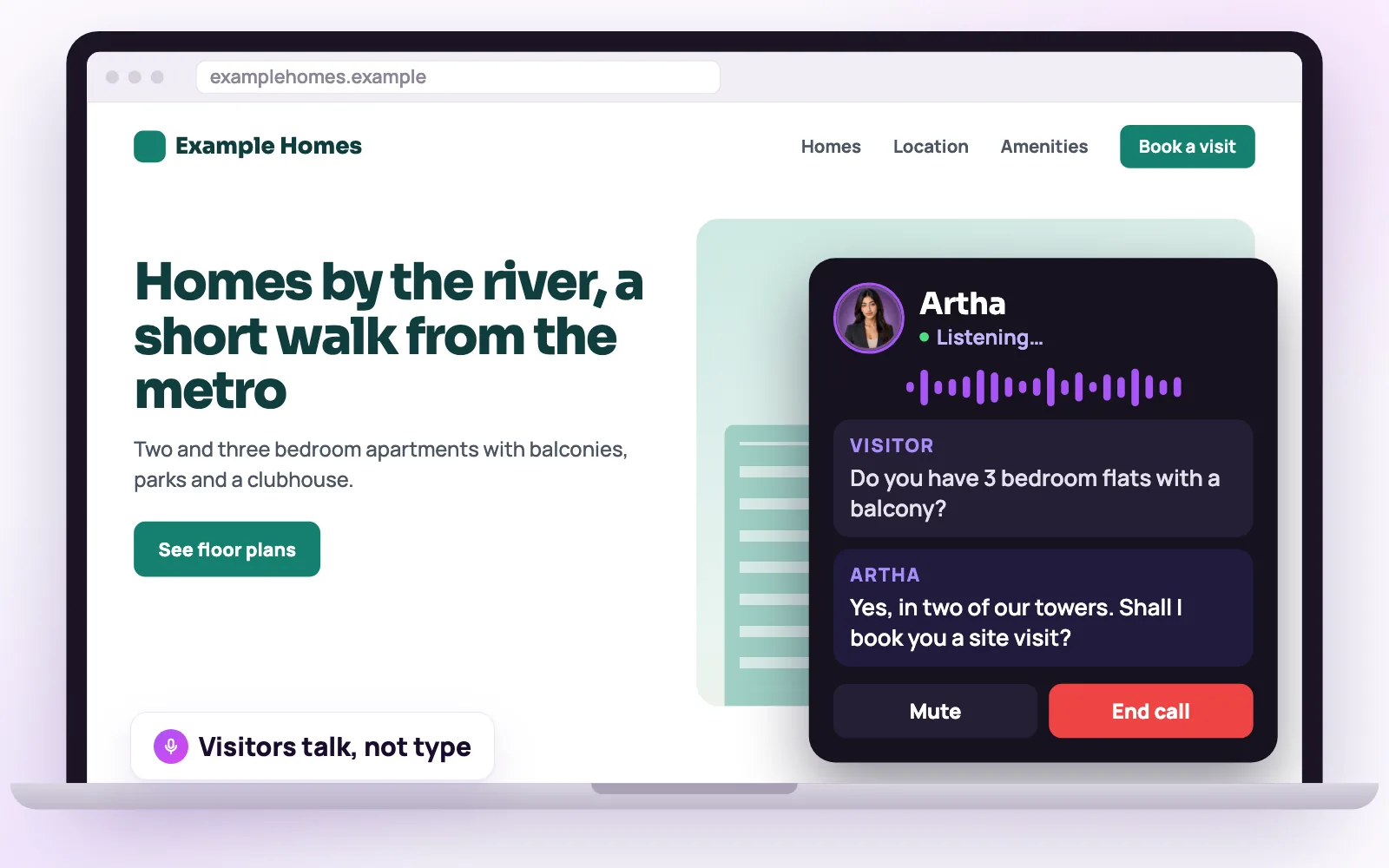
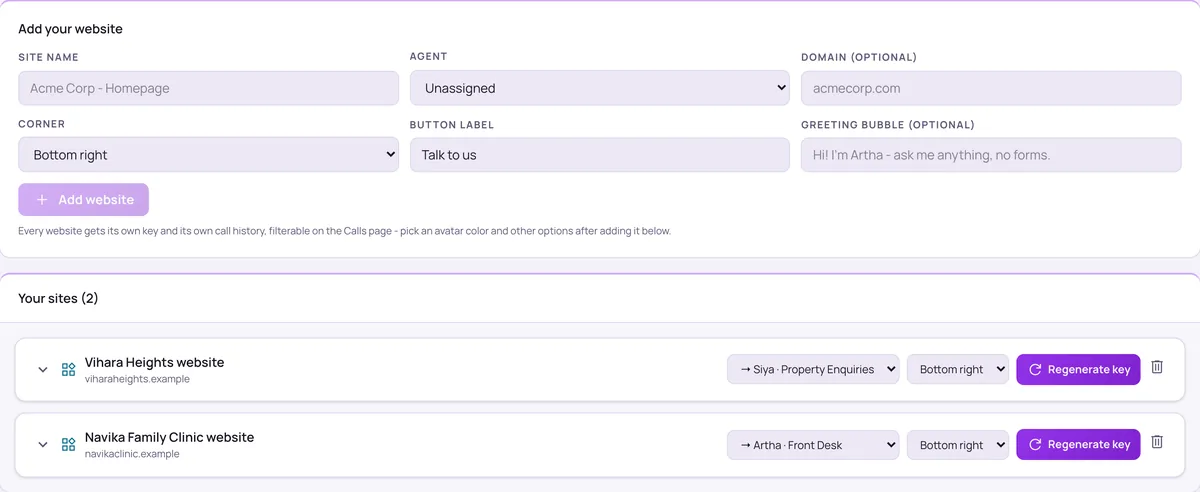
1. Add your website
Name the site, pick the agent, the corner of the screen, the button label and an optional greeting bubble. Each site gets its own key.
Add the call button - 2Step 2
2. Install it
Copy the script tag onto your pages, or install the WordPress plugin and paste your site key.
- 3Step 3
3. A visitor taps and talks
The call runs in the browser with the visitor’s microphone, so there is no phone number to dial and nothing to install.
- 4Step 4
4. Review the call
Filter the Calls page by site to read the transcript, see captured lead fields, and see which page the call started from.
Find a call
Make it behave the way your site does.
Voice, chat or both
Offer a voice call that visitors can also type into, let them choose between voice and chat, or run text chat only.
Ask before starting
For name, phone number and email, choose Don’t ask, Optional or Required. With all three off the call starts on a single tap.
Look and feel
Choose the animated orb or the Artha presenter as the button’s face, set the avatar colour, the corner and the label.
Page rules
Send visitors on matching pages to a different agent, with its own greeting and avatar, for example a single listing page routed to an agent that knows only that listing.
Different agents on different pagesPer-site keys
Every site has its own key and call history. Regenerate the key if one is ever exposed.


Sites where a visitor has a question and no patience for a form.

Property and project pages
A visitor on a project page asks about the project, and the lead lands with their details and the page they were on.

Regional-language audiences
A visitor can speak in their own language without leaving the page.
The call needs microphone permission from the visitor’s browser. Chat-only mode is there for visitors who prefer to type.
The same screens your team will use.
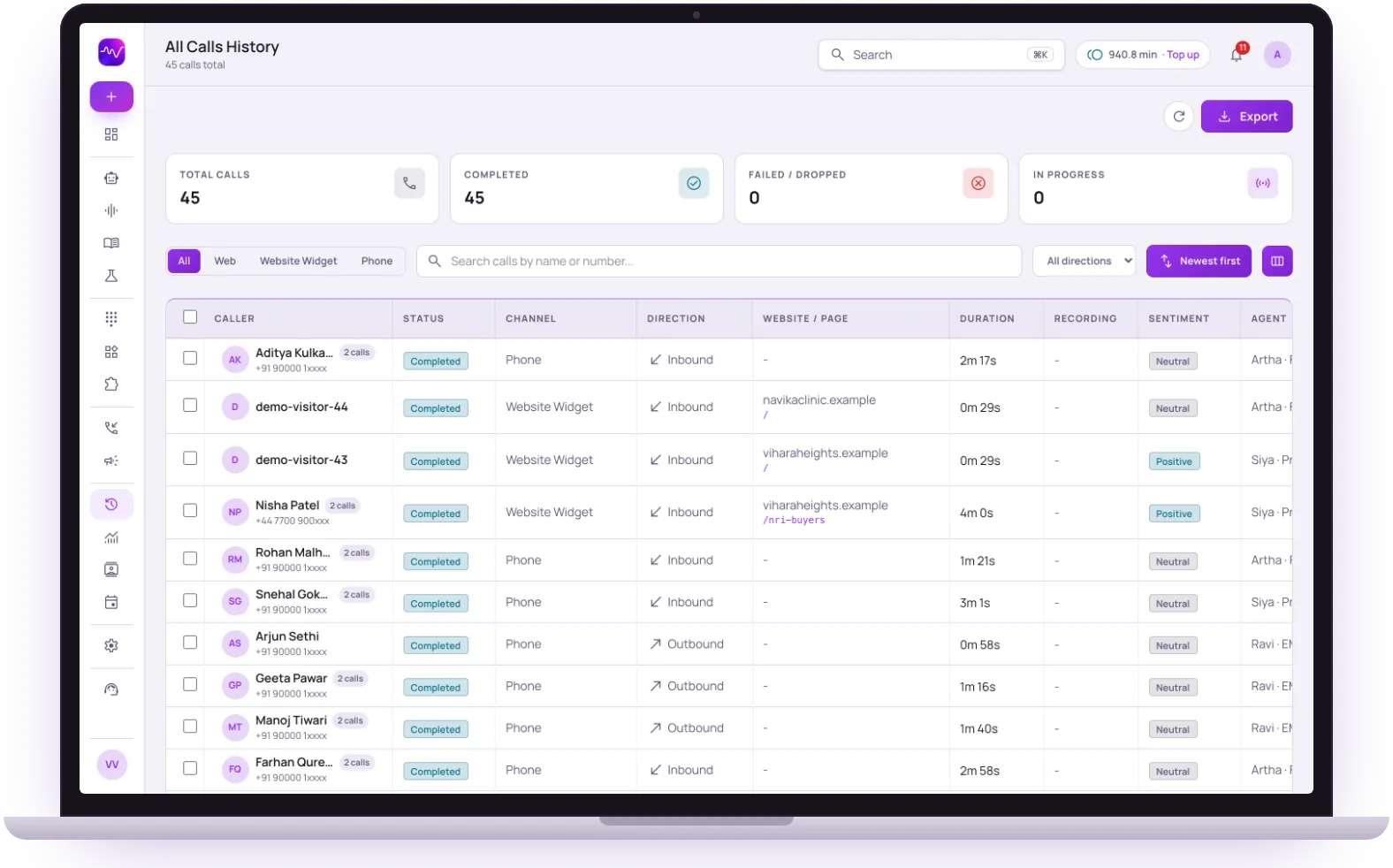
These are views of the real Vistrow Voice dashboard, with sample data.
- 1
Filter by channel
Phone, web and website widget calls sit in one list, one tap apart.
- 2
Inbound and outbound together
Each row shows the direction, the duration and the page a website call came from.
- 3
Sentiment and the agent
See how each call went and which agent took it, then open the transcript.
The questions buyers ask first.

What does it cost?
Usage is measured in minutes of conversation, and the voice and model you choose change how quickly minutes are used. Telephony is billed separately by the provider you connect.
How pricing works
How much setup is it?
No code. Set the persona, prompt, voice and language, test it in the browser, then publish. Later changes apply from the next call.
Create an agent
Can a person take over?
On phone calls the agent can dial in the colleague you set and stay on until they answer. Website calls take a callback request instead.
Functions and transfer
What if it does not know?
With strict mode on, it quotes your approved answers and says it will check with the team when something is not covered, rather than guessing.
Knowledge baseStill deciding? Ask Artha yourself.
- No signup needed
- 5 free calls
- 130+ languages
Questions, answered.
The things people ask us most. If yours isn’t here, talk to us and a person will reply.
Ask us directlyNo - it’s a real-time browser call. Visitors just tap the button and talk, nothing to install. The browser asks for microphone permission first.
Use our WordPress plugin - activate it, paste your site key, and the call button appears automatically.
Yes - the widget is fully responsive and works on mobile and desktop browsers alike.
Yes. Page rules send visitors on matching pages to a different agent with its own greeting and avatar.
Yes. For name, phone number and email you choose Don’t ask, Optional or Required, so conversations can arrive as real leads.
Yes. The widget can be voice, text chat only, or let the visitor choose.
Put an AI agent on every call.
Try Artha live in your browser, or book a walkthrough with our team.
- No signup needed
- 5 free calls
- 130+ languages