
Answers grounded in your business.
Upload your PDFs, manuals, and docs. Artha retrieves the right facts on every call and can be locked to strict mode so it only answers from your material.
- No signup needed
- 5 free calls
- 130+ languages
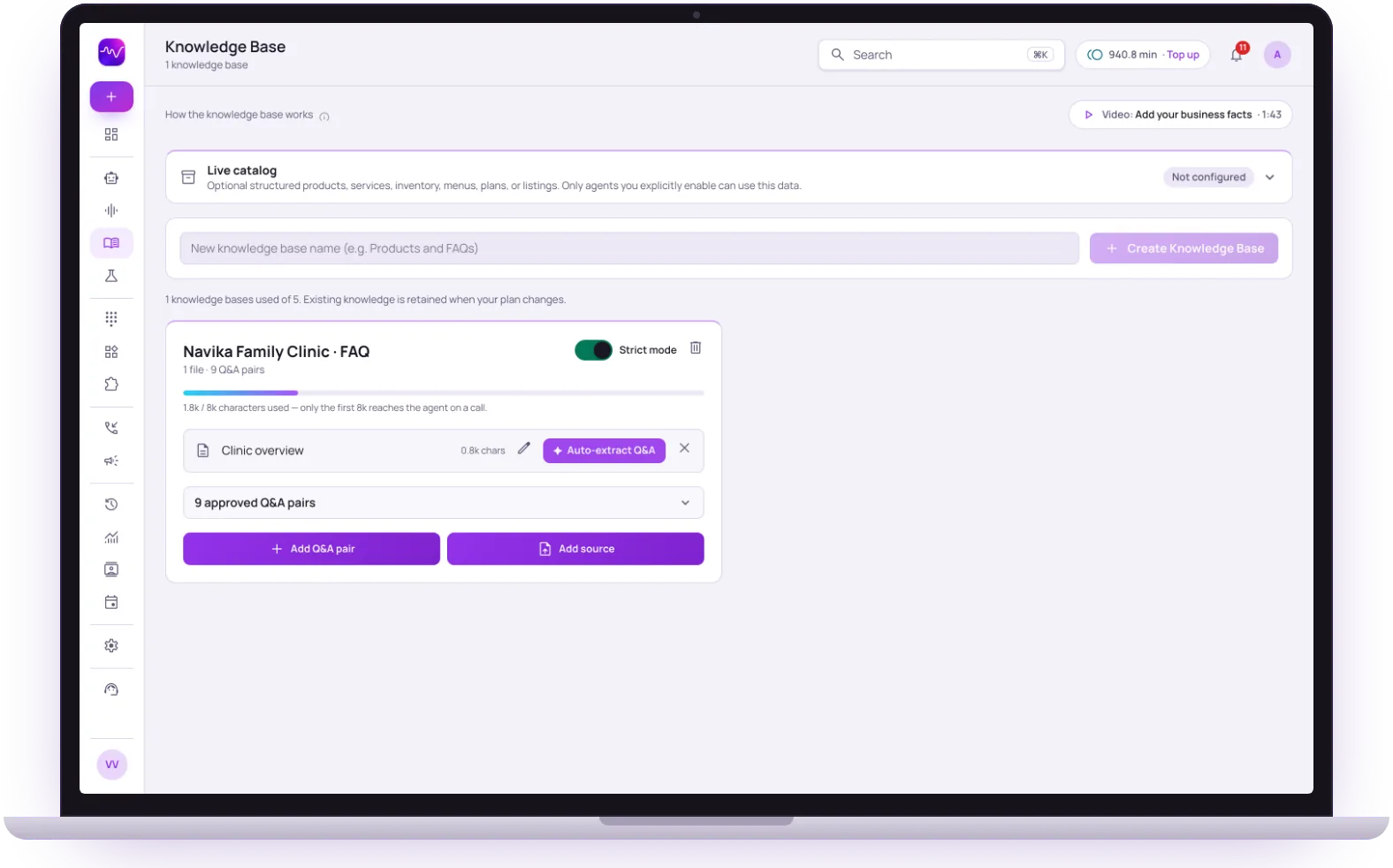 Strict mode onAnswers from your Q&A
Sources
Files or site
PDF, Word, CSV, text or a website scan
Strict mode
On or off
Quotes your approved answers
Per call
8,000 chars
Approved Q&A pairs go first
Updates
Next call
No redeploy
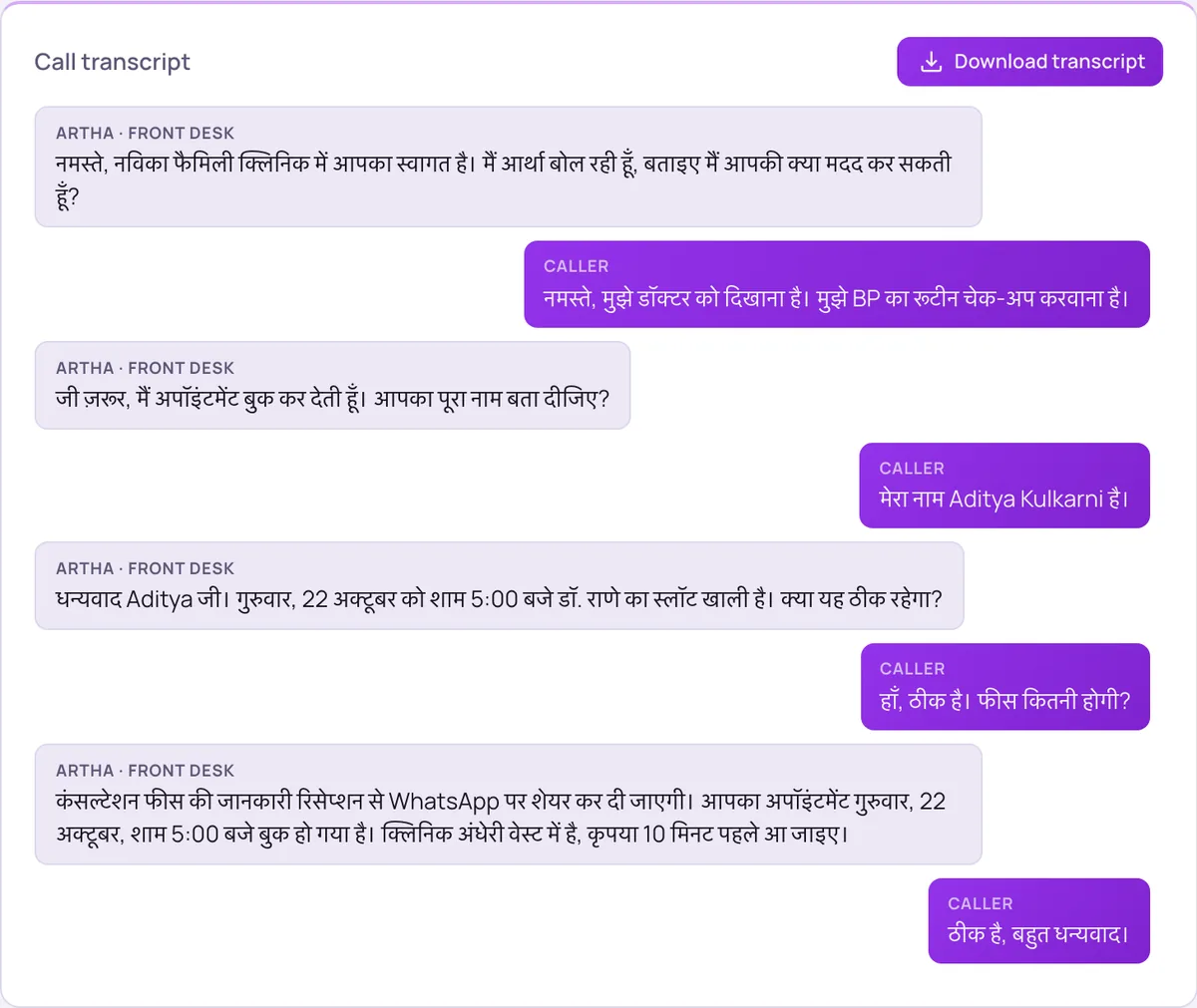

Upload anything
PDFs, docs, or a website URL - we extract and index it into clean Q&A automatically.

Strict mode
Restrict the agent to only answer from your knowledge base - no hallucinations.

Retrieval-grounded
Every answer is backed by a retrieved source, so responses stay accurate and on-brand.

Always current
Update a document and the agent uses the new information on the very next call.
Hear it on a real call before you decide.
Artha answers in your language, works on your number and your website, and leaves a record of every call.

Consent and recording, your call
Require spoken consent, switch recording on or off and set how long records are kept.

130+ languages
Hindi, Hinglish and 9 other Indian languages included. The agent follows the caller.

Phone and website
The same agent can answer your number and the call button on your site.

Every call logged
A transcript for every call, plus the lead fields captured and the audio if recording is on.
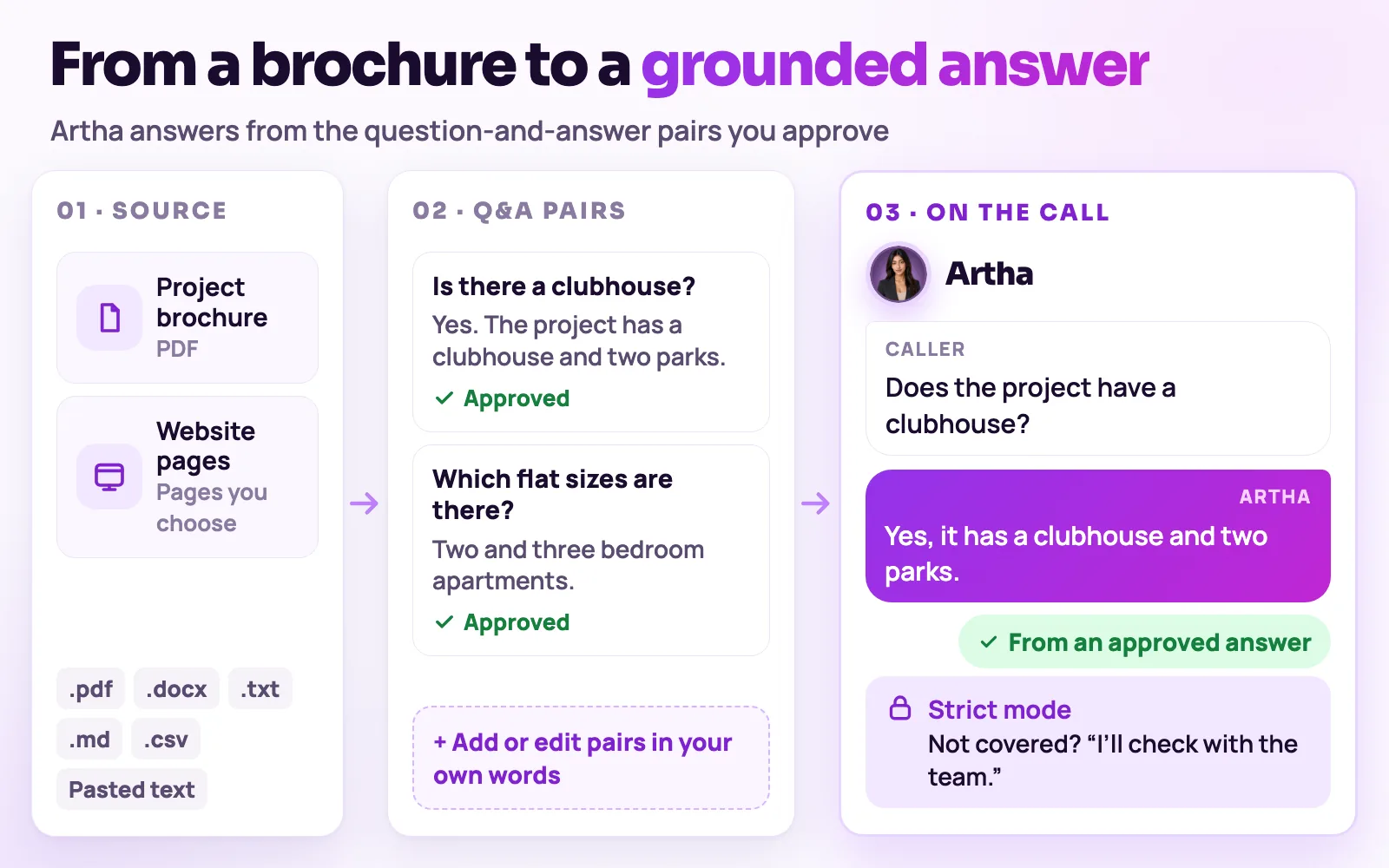
From a brochure to answers your agent can quote.
- 1Step 1
1. Add a source
Upload a .txt, .md, .csv, .pdf or .docx file, paste text, or scan your website and choose which pages to import.
Give your agent your facts - 2Step 2
2. Extract question-and-answer pairs
Auto-extract turns the source into Q&A pairs. Review and edit each one, or add pairs by hand.
- 3Step 3
3. Attach it to an agent
Choose the knowledge base on the agent’s page, and the agent uses it from its next call.
Voice agents - 4Step 4
4. The agent answers from it
Approved Q&A pairs are included first on every call. With strict mode, the agent quotes them instead of improvising.
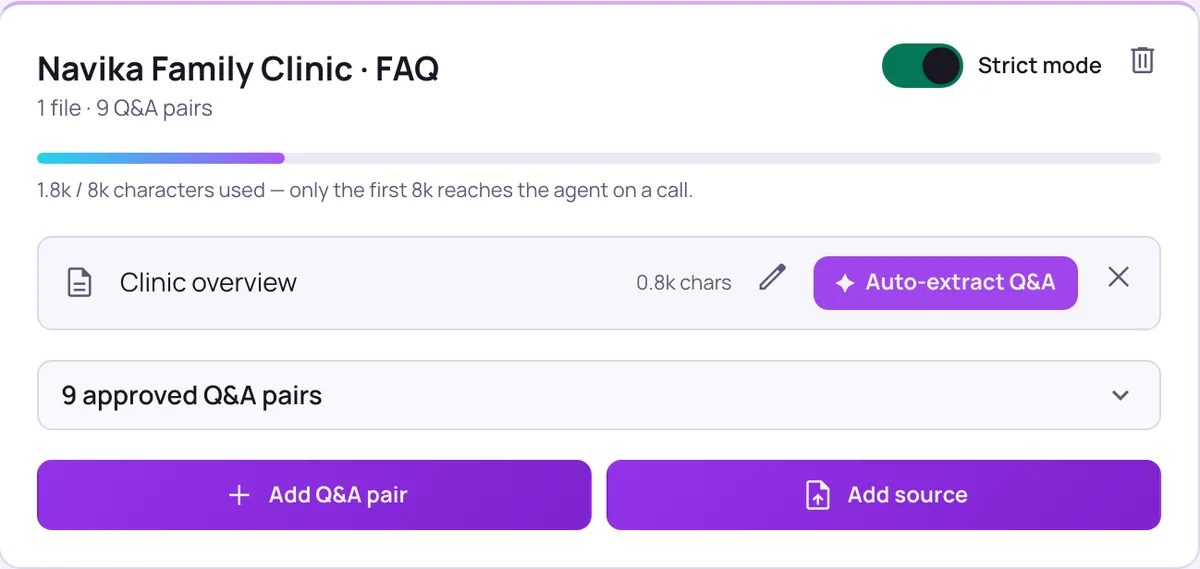
Control what the agent knows, and how far it can stray.
Strict mode
The agent quotes your approved answers and says it will check with the team when something is not covered, rather than guessing.
Editable wording
Edit any extracted pair so the agent says it the way you would, and add pairs by hand for the questions your callers ask most.
Live catalog
For products, property listings, menus or plans, a structured catalog is looked up on demand, so a large list does not slow the call. Only agents you enable can use it.
Live catalogUsage meter
Only the first 8,000 characters reach the agent on a call. A bar under each knowledge base shows how much is used, so you can trim and prioritise.


Strict mode reduces improvised answers but cannot guarantee a perfect one. Test the questions your callers really ask in the Testing Lab before you publish.
Anyone whose callers ask the same questions all day.

Property teams
Project facts, configurations and possession details answered consistently, with the live catalog for listings.

E-commerce and retail
Return, delivery and policy questions answered the same way every time.

The same screens your team will use.
These are views of the real Vistrow Voice dashboard, with sample data.
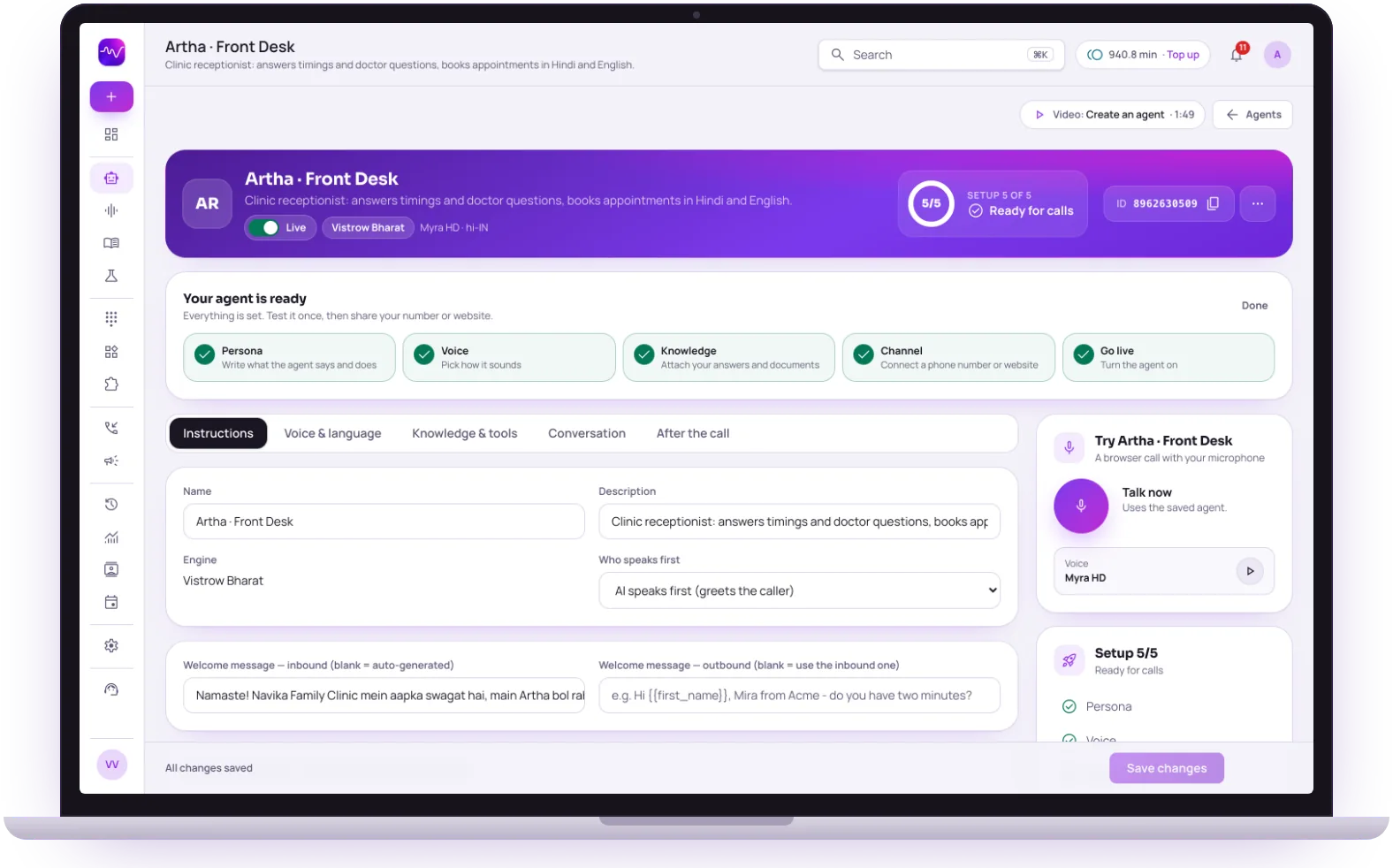
- 1
Knowledge is a setup step
The checklist shows whether answers and documents are attached to the agent.
- 2
Knowledge and tools tab
Choose which knowledge base the agent uses; it applies from the next call.
- 3
Ask it a real question
Talk now runs a browser call so you can hear the answer before callers do.
The questions buyers ask first.

What does it cost?
Usage is measured in minutes of conversation, and the voice and model you choose change how quickly minutes are used. Telephony is billed separately by the provider you connect.
How pricing works
How much setup is it?
No code. Set the persona, prompt, voice and language, test it in the browser, then publish. Later changes apply from the next call.
Create an agent
Can a person take over?
On phone calls the agent can dial in the colleague you set and stay on until they answer. Website calls take a callback request instead.
Functions and transfer
What if it does not know?
With strict mode on, it quotes your approved answers and says it will check with the team when something is not covered, rather than guessing.
Still deciding? Ask Artha yourself.
- No signup needed
- 5 free calls
- 130+ languages
Questions, answered.
The things people ask us most. If yours isn’t here, talk to us and a person will reply.
Ask us directlyText, Markdown, CSV, PDF and Word (.docx) files, or pasted text. You can also scan your website and pick the pages to import. Each source is extracted into Q&A pairs your agent can use.
It makes the agent quote your approved answers instead of improvising facts, and say it will check with the team when something is not covered.
On the next call - update a document or Q&A pair and the agent uses the new answer without a redeploy.
Yes. Only the first 8,000 characters reach the agent on a call, with approved Q&A pairs included first. For large product or listing lists, use the live catalog, which is looked up on demand.
Yes. Add Q&A pairs by hand, and edit any auto-extracted pair so the wording matches how you want the agent to speak.
The agent can answer in any supported language. Write answers in the language your callers use, or in English, and test the replies in the Testing Lab before going live.
Put an AI agent on every call.
Try Artha live in your browser, or book a walkthrough with our team.
- No signup needed
- 5 free calls
- 130+ languages