
Build a voice agent in minutes.
A no-code builder for real-time AI phone agents. Set the persona, prompt, voice and language - publish, and Artha starts taking calls.
- No signup needed
- 5 free calls
- 130+ languages
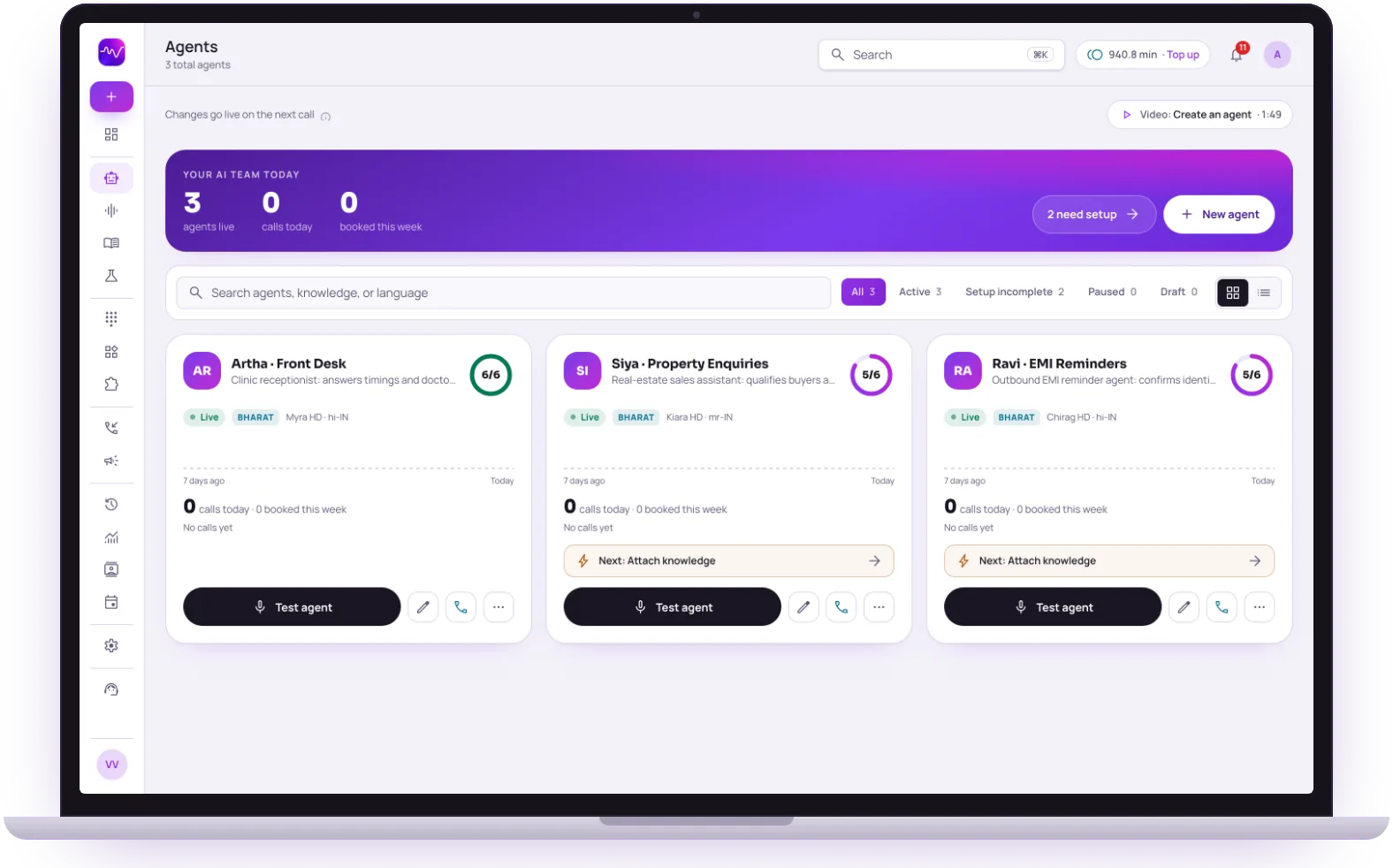 Artha · LiveChanges apply next call
Languages
130+
Including 10 Indian languages and Hinglish
Builder
No code
Persona, prompt, voice and language
Changes
Next call
Nothing to redeploy
Testing
Before launch
Browser test call or the Testing Lab

Multilingual
Speaks more than 130 languages, including 10 Indian languages and natural Hinglish, and switches mid-call with the caller.

Grounded answers
Ties responses to your knowledge base with strict-mode RAG, so the agent says it does not know instead of improvising.

Human handoff
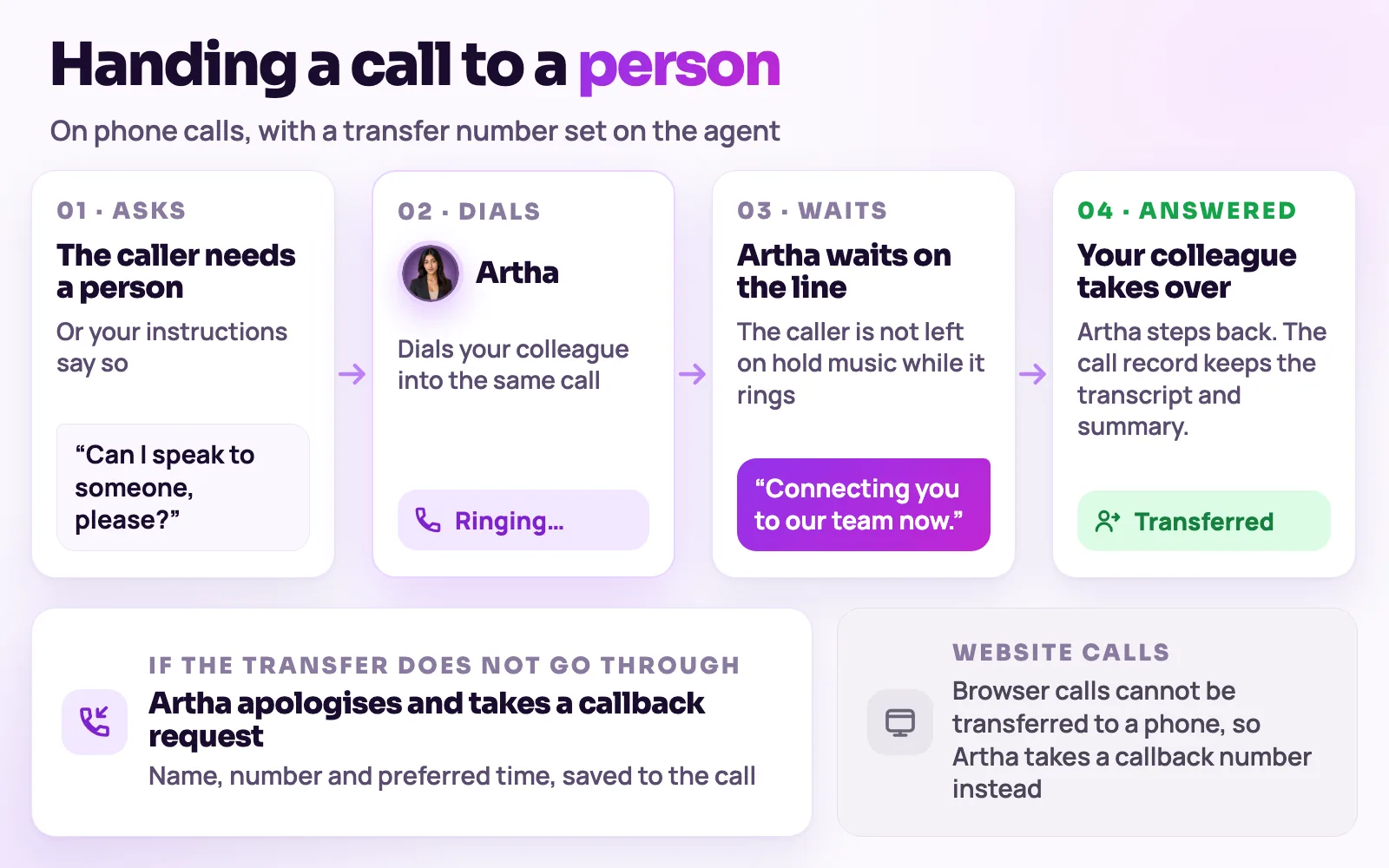
On phone calls, transfers to the colleague you set when a caller needs a person. Website calls take a callback request instead.

Analytics & transcripts
Every call is transcribed, scored, and searchable across channels and agents.
Hear it on a real call before you decide.
Artha answers in your language, works on your number and your website, and leaves a record of every call.

Consent and recording, your call
Require spoken consent, switch recording on or off and set how long records are kept.
130+ languages
Hindi, Hinglish and 9 other Indian languages included. The agent follows the caller.

Phone and website
The same agent can answer your number and the call button on your site.

Every call logged
A transcript for every call, plus the lead fields captured and the audio if recording is on.
From a blank page to a live agent.
Every setting lives on the agent’s own page, and changes apply from the next call with no redeploy.
- 1Step 1
1. Create the agent
Start from scratch, or describe your business and let the AI builder draft an agent that you review and edit before it is saved.
Create and edit an agent - 2Step 2
2. Set voice, language and prompt
Pick the model, a voice you have added from the Voices page, the language the agent opens in, a welcome message and the system prompt that tells it how to behave.
- 3Step 3
3. Test it
Talk to the agent in the browser with its real configuration, or have it ring your phone. The Testing Lab plays situations such as an impatient caller or Hindi-English switching and checks the result.
Test an agent - 4Step 4
4. Put it where callers are
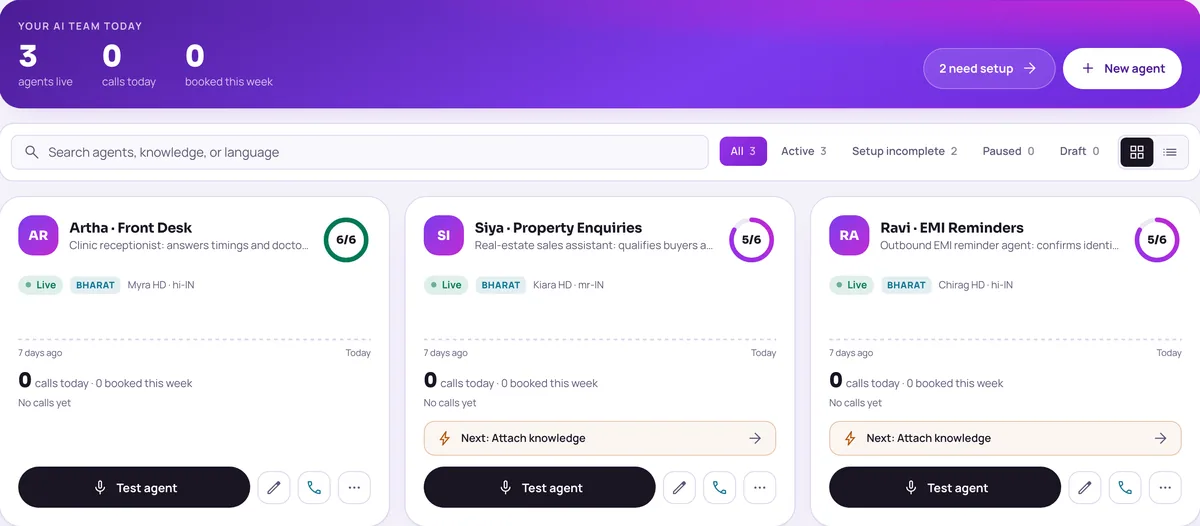
Attach a phone number for inbound calls, add the website widget, or use it in a campaign. Each agent card shows a readiness score and the next step to finish.
Inbound calling
The controls behind each agent.
Voice and delivery
Choose who speaks first, voice delivery, emotion intensity, noise suppression and background ambience. Preview voices in Hindi or English before you add them.
Choose voicesFunctions
Booking appointments, callback requests, lead capture and “do not call me again” are always available. End call, web search and keypad tones can be switched on or off.
Functions and transferTransfer to a person
Set a transfer phone number and the agent can dial your colleague into a phone call and stay on until they answer. Web calls cannot be transferred to a phone.
Variables and extraction
Define {{variable}} names with fallback values for prompts and greetings, and list the fields to pull from every transcript, such as budget or location.
Memory
Turn on memory and the agent recognises returning callers by phone number, using a short summary of past calls.
Webhook and CRM routing
Post one agent’s lead and appointment events to its own URL, or limit it to specific integrations instead of all of them.
Webhook and CRM routing


One agent per job, not one agent for everything.
Teams usually run several focused agents rather than one that tries to do it all.
A front-desk agent
Answers the business number, handles common questions and books appointments for clinics, coaching centres and service businesses.
HealthcareA lead-qualification agent
Asks the questions your sales team would ask and saves each answer as a lead field, for example in property enquiries.
Real estateA regional-language agent
Opens in Hindi, Marathi, Tamil or another supported language and follows the caller if they switch.
Supported languages


Plans decide how many agents and minutes you get. The pricing page lists what each plan includes.
The same screens your team will use.
These are views of the real Vistrow Voice dashboard, with sample data.
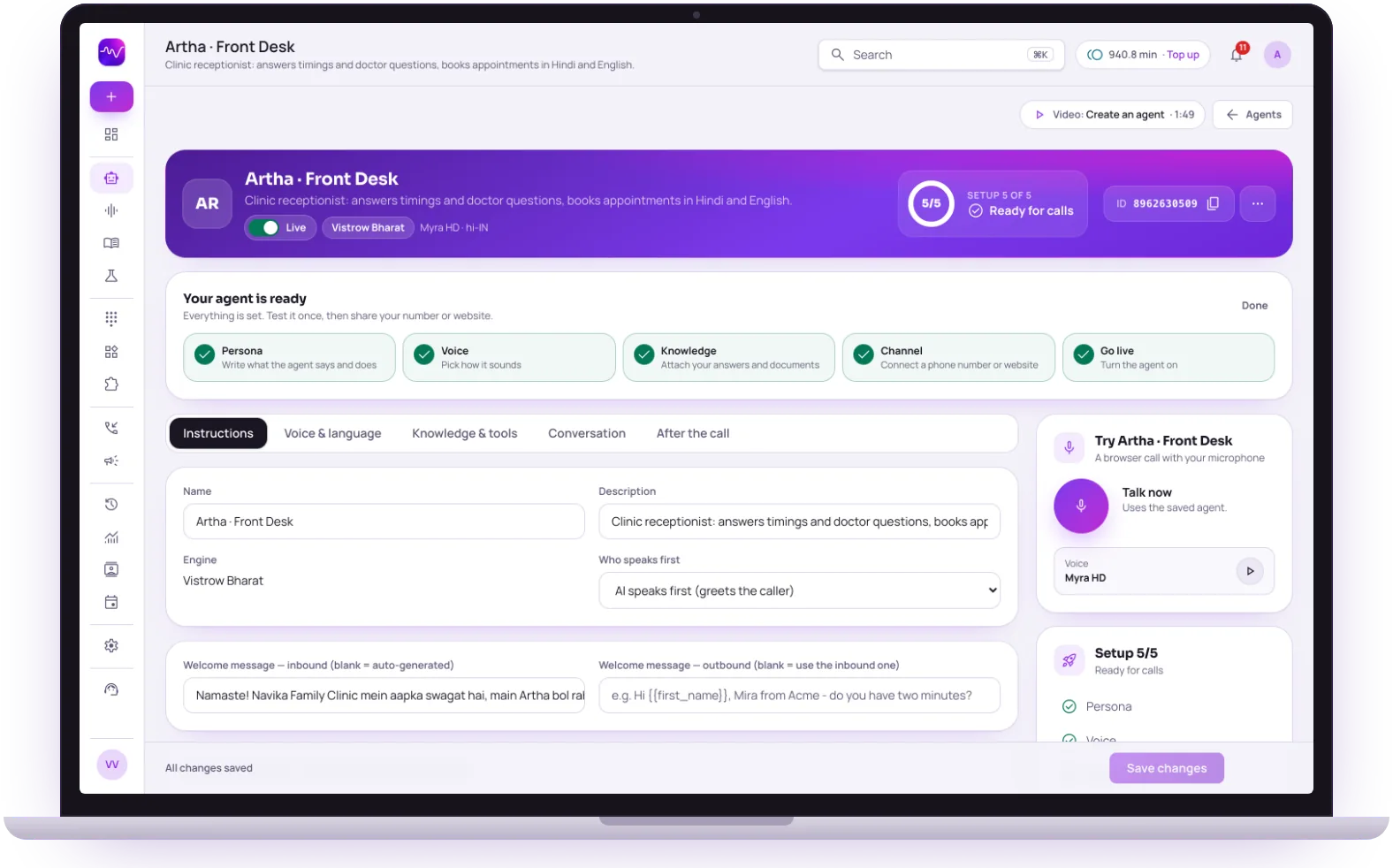
- 1
Setup checklist
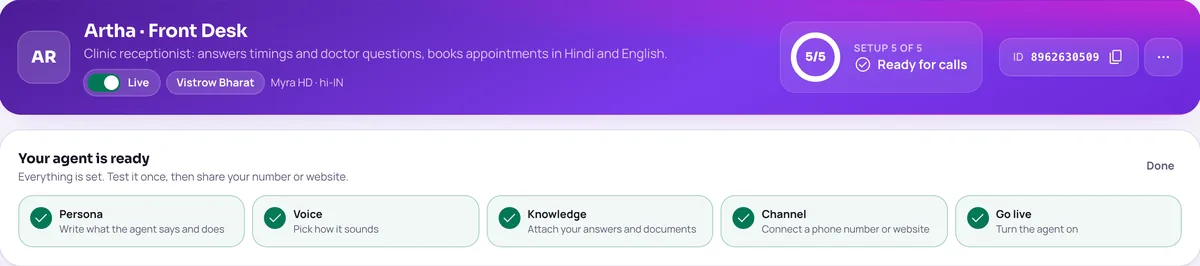
Persona, voice, knowledge, channel and go live, with a tick as each is done.
- 2
Every setting on one page
Instructions, voice and language, knowledge and tools, conversation and after the call.
- 3
Talk to it in the browser
Talk now runs a test call with the saved agent and your microphone.
The questions buyers ask first.

What does it cost?
Usage is measured in minutes of conversation, and the voice and model you choose change how quickly minutes are used. Telephony is billed separately by the provider you connect.
How pricing works
How much setup is it?
No code. Set the persona, prompt, voice and language, test it in the browser, then publish. Later changes apply from the next call.
Create an agentCan a person take over?
On phone calls the agent can dial in the colleague you set and stay on until they answer. Website calls take a callback request instead.
Functions and transfer
What if it does not know?
With strict mode on, it quotes your approved answers and says it will check with the team when something is not covered, rather than guessing.
Knowledge baseStill deciding? Ask Artha yourself.
- No signup needed
- 5 free calls
- 130+ languages
Questions, answered.
The things people ask us most. If yours isn’t here, talk to us and a person will reply.
Ask us directlyNo - the builder is entirely no-code. Set the persona, prompt, voice, and language, then publish.
A curated set of natural voices across Indian languages and English, previewable before you publish.
Yes - talk to any agent in the browser instantly, with the exact prompt and voice it will use on real calls. The Testing Lab also runs scenarios such as an angry caller, a silent caller or a booking conflict and shows checks like opening quality and tool accuracy.
Changes apply from the next call; there is nothing to redeploy. You can save a scenario as a custom regression test in the Testing Lab and re-run it after each prompt change.
Yes, on phone calls. Set a transfer number on the agent and it can dial that person into the call on request. Web calls cannot be transferred to a phone.
Yes, if you turn on Memory for that agent. It recognises the caller by phone number and uses a short summary of past calls.
Put an AI agent on every call.
Try Artha live in your browser, or book a walkthrough with our team.
- No signup needed
- 5 free calls
- 130+ languages