
One platform for every voice conversation.
Inbound, outbound, and web calls - built, grounded, and analyzed in one place. Everything you need to put an AI agent on every call.
- No signup needed
- 5 free calls
- 130+ languages
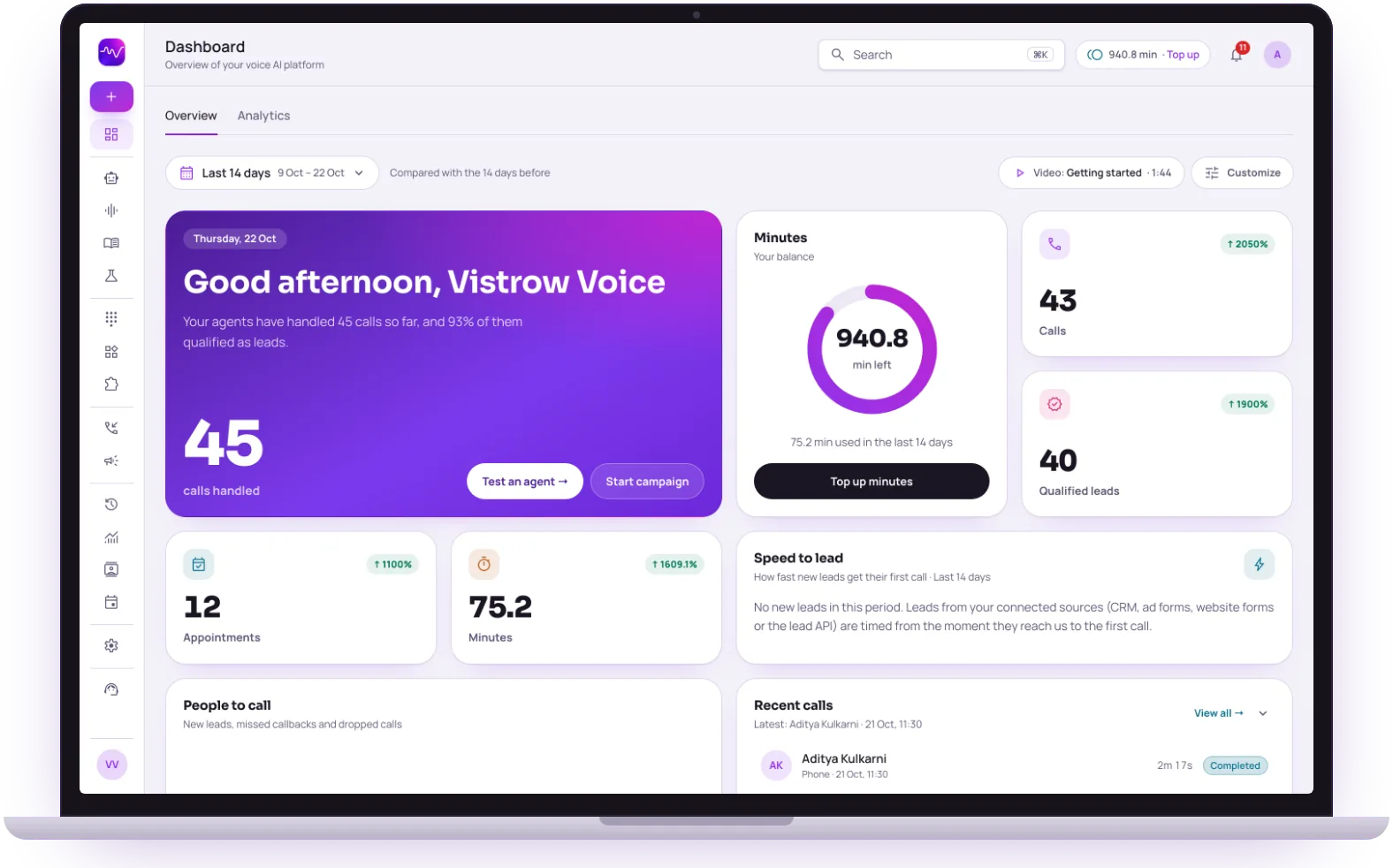 Inbound, outbound and webOne dashboard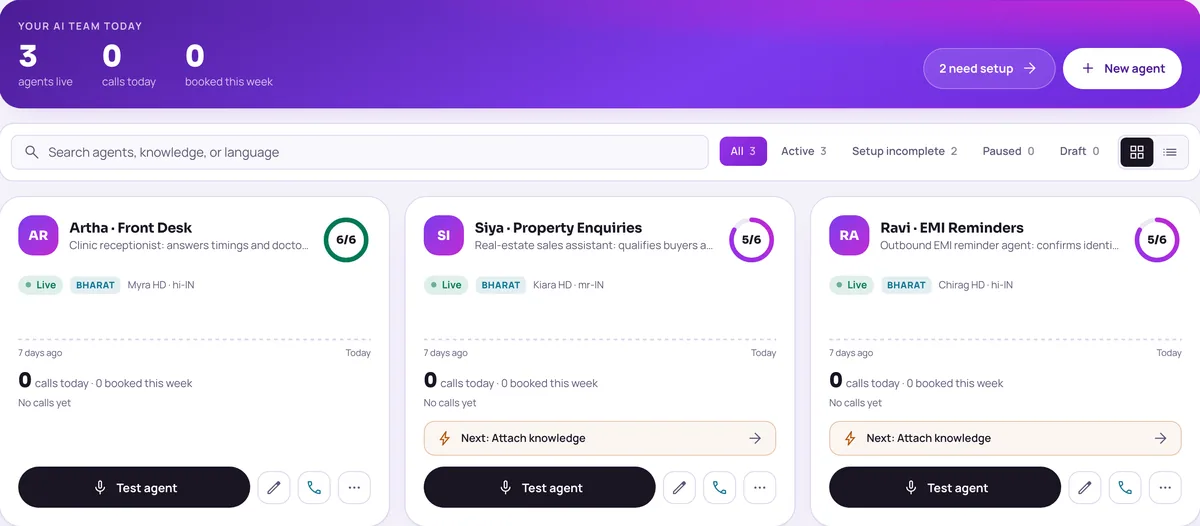


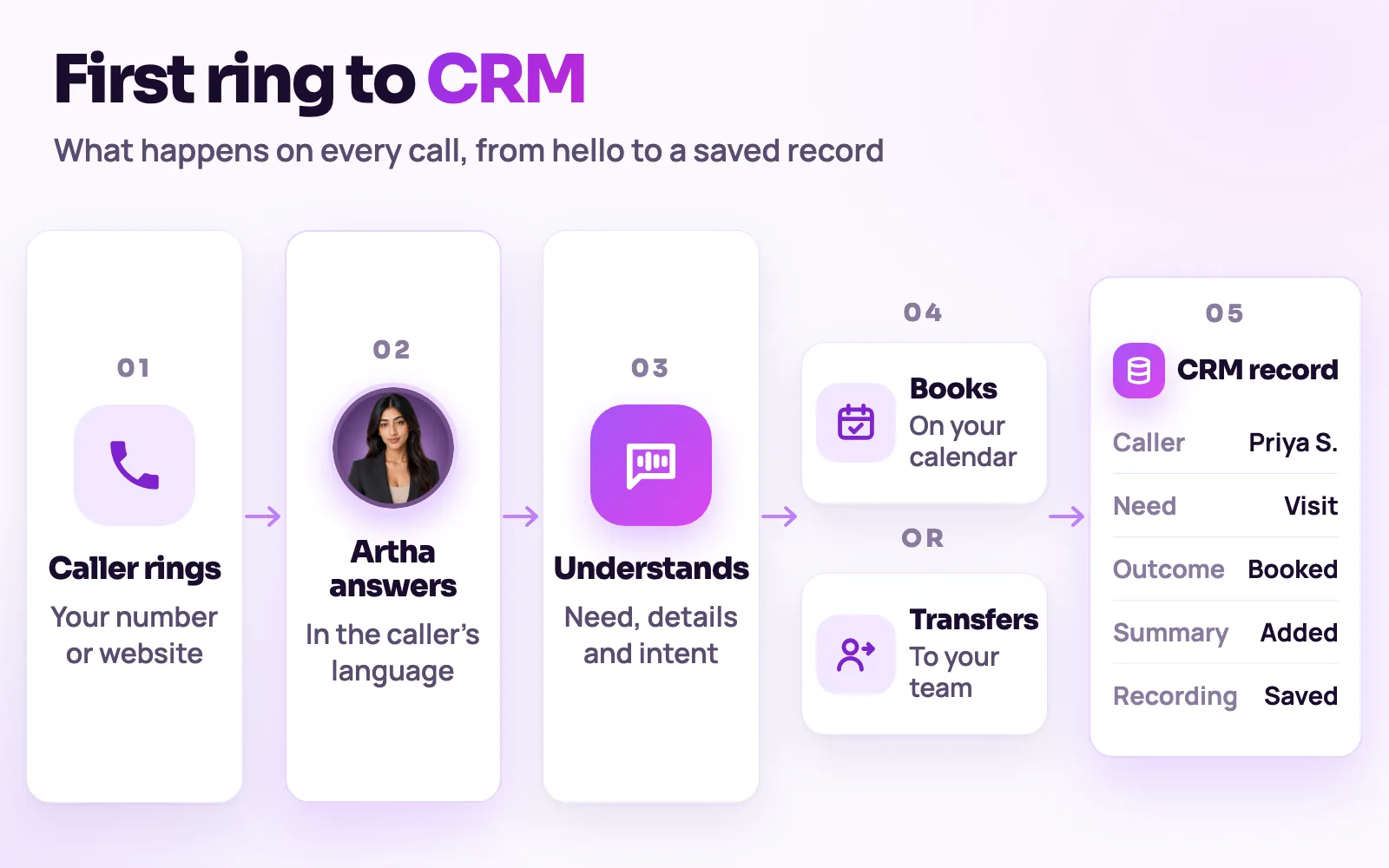
What happens from first ring to your CRM.
The six products are parts of one flow. Each step below is a page in the dashboard, and each links to the product page that covers it.
1. A call or a visit starts
A customer rings a connected number, a visitor taps the website widget, or a campaign dials a contact.
Inbound calling2. An agent takes it
The agent you configured greets the caller in its default language and follows them if they switch.
Voice agents3. It answers from your facts
Answers come from your knowledge base, and strict mode keeps the agent to approved answers.
Knowledge base4. It completes a next step
Book an appointment, take a callback request, capture lead details, or transfer a phone call to a person.
5. Your team gets the result
The transcript and lead fields reach your CRM, Slack, Google Sheets or webhook, and every call stays searchable in the dashboard.
Integrations


Pick the problem you have today.
Most teams begin with one channel, usually inbound calls or the website widget, get that agent right in the Testing Lab, and add the rest later.
Stop missing calls
Answer the business number around the clock, inside the hours and limits you set.
Talk to website visitors
Add a call button so a visitor can ask a question by voice, with no phone number.
Follow up with contacts
Reminders and follow-ups to a contact list, with Do-Not-Call and calling-window checks before every dial.

Serve regional-language callers
More than 130 languages, including 10 Indian languages, with each language page covering how callers actually speak.

Fit it to your industry
See the flows for real estate, healthcare, e-commerce, finance and support.

Check what a plan includes
Plans and what they include are on the pricing page, and our team can walk you through them.
Hear it on a real call before you decide.
Artha answers in your language, works on your number and your website, and leaves a record of every call.

Consent and recording, your call
Require spoken consent, switch recording on or off and set how long records are kept.
130+ languages
Hindi, Hinglish and 9 other Indian languages included. The agent follows the caller.

Phone and website
The same agent can answer your number and the call button on your site.

Every call logged
A transcript for every call, plus the lead fields captured and the audio if recording is on.
The same screens your team will use.
These are views of the real Vistrow Voice dashboard, with sample data.
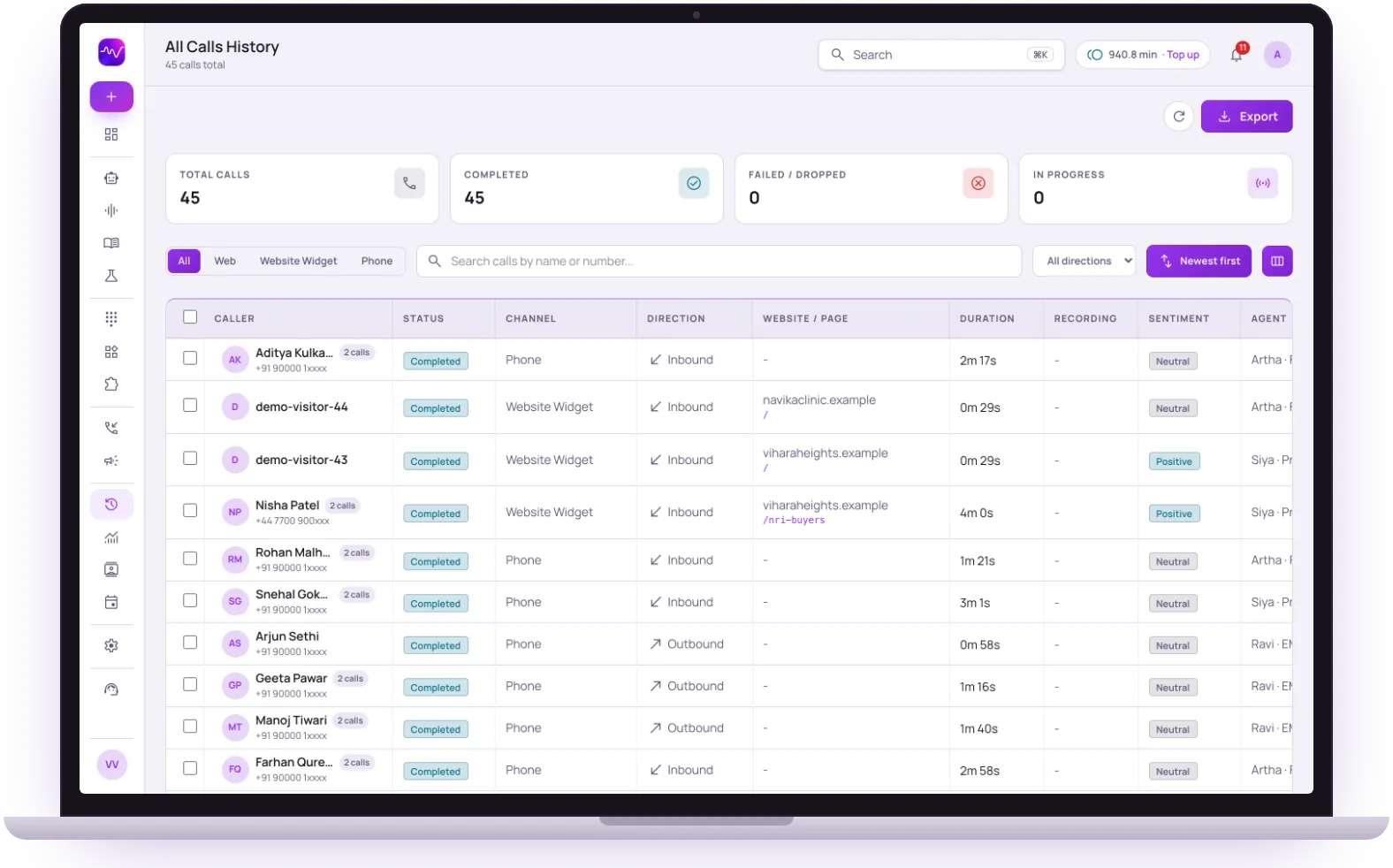
- 1
Filter by channel
Phone, web and website widget calls sit in one list, one tap apart.
- 2
Inbound and outbound together
Each row shows the direction, the duration and the page a website call came from.
- 3
Sentiment and the agent
See how each call went and which agent took it, then open the transcript.
Evaluating voice AI vendors?
Use these practical comparisons to understand what each platform covers and what your team would still need to build.
Number → Agent → Your tools.
- 1Step 1
1. Connect a number
Bring your own number or get one from us. Point inbound calls at Vistrow in minutes.
- 2Step 2
2. Train on your knowledge
Upload PDFs and docs. Artha answers from them with retrieval-grounded RAG.
- 3Step 3
3. Go live
Publish your agent and it starts answering, qualifying, and booking - in more than 130 languages, including 10 Indian languages.
The questions buyers ask first.
What does it cost?
Usage is measured in minutes of conversation, and the voice and model you choose change how quickly minutes are used. Telephony is billed separately by the provider you connect.
How pricing works
How much setup is it?
No code. Set the persona, prompt, voice and language, test it in the browser, then publish. Later changes apply from the next call.
Create an agent
Can a person take over?
On phone calls the agent can dial in the colleague you set and stay on until they answer. Website calls take a callback request instead.
Functions and transfer
What if it does not know?
With strict mode on, it quotes your approved answers and says it will check with the team when something is not covered, rather than guessing.
Knowledge baseStill deciding? Ask Artha yourself.
- No signup needed
- 5 free calls
- 130+ languages
Questions, answered.
The things people ask us most. If yours isn’t here, talk to us and a person will reply.
Ask us directlyVoice Agents, Inbound Calling, Outbound Campaigns, a Knowledge Base, a Website Call Widget, and Integrations - all in one dashboard.
No - one agent and one dashboard cover inbound, outbound, and web calls, sharing the same knowledge base and analytics.
Yes - talk to Artha live in your browser right now on this page, no signup or credit card required.
An IVR makes the caller press keys through a fixed menu. A Vistrow agent understands what the caller says, answers from your knowledge base and completes the next step, such as booking an appointment or capturing a lead. The AI IVR and IVR comparison pages go into the differences.
More than 130 languages, including 10 Indian languages and natural Hinglish, with the agent switching when the caller does. Each language has its own page.
Every call has a transcript and the lead fields the agent captured, searchable in the dashboard. Qualified leads can be sent to Zoho CRM, ArthaLeads, Slack, Google Sheets or any webhook.
On the pricing page, which lists each plan and what it includes.
Put an AI agent on every call.
Try Artha live in your browser, or book a walkthrough with our team.
- No signup needed
- 5 free calls
- 130+ languages