
Vistrow Voice vs Synthflow
A practical comparison for teams evaluating AI voice agents and AI voice agents for real customer calls.
- No signup needed
- Free to try
- 130+ languages
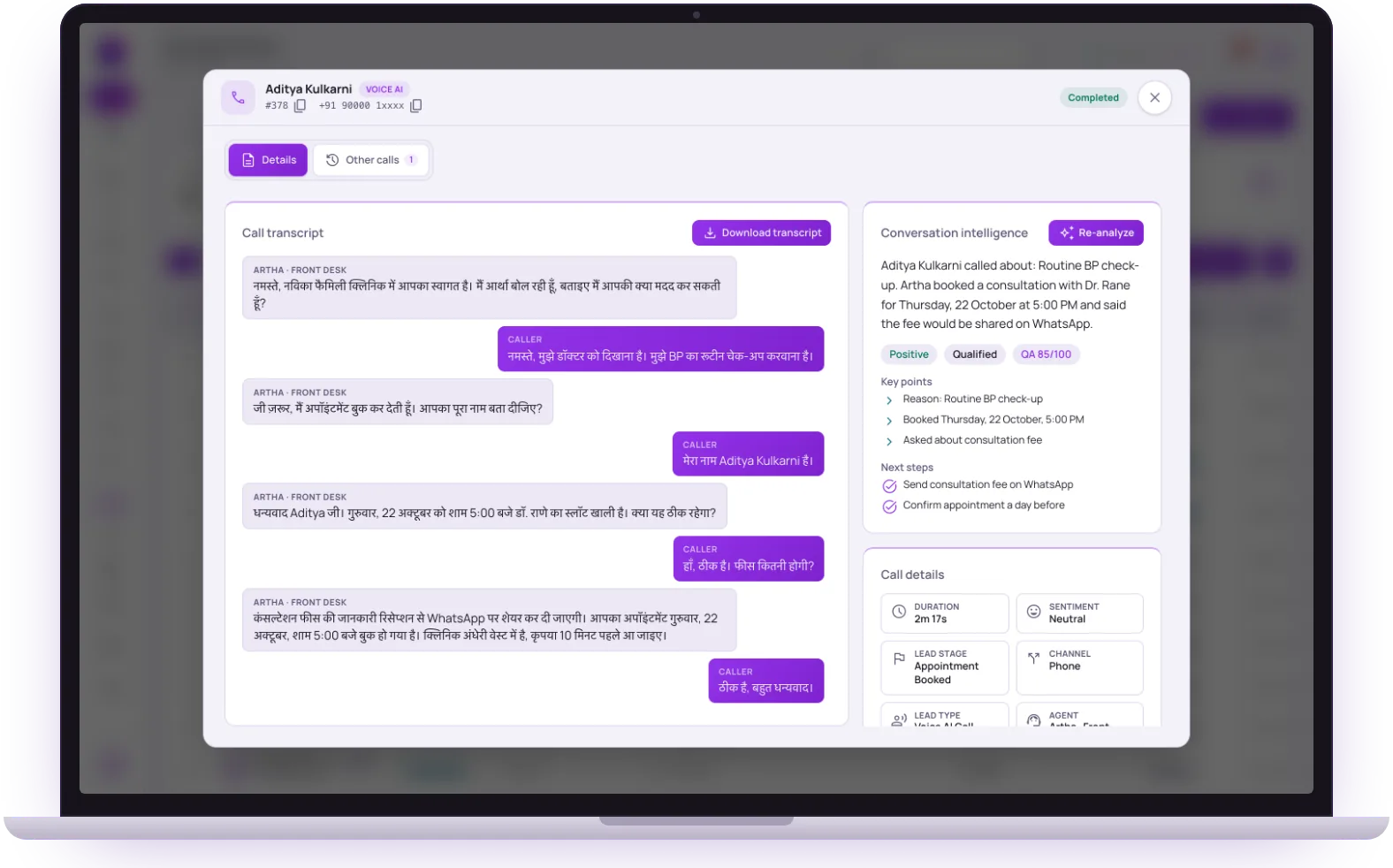 Call answered by ArthaTranscript and summary saved
When Synthflow fits
Teams evaluating no-code AI voice-agent builders and automations.
The tradeoff
No-code agent builders vary heavily in language quality, real-call latency, CRM payload quality, and local market fit.
When Vistrow fits
Useful if you want a no-code voice agent but need to test which product fits your language, CRM, and call type.
AI voice agents and Vistrow Voice, point by point.
| Decision point | Typical AI voice agents approach | Vistrow Voice |
|---|---|---|
| Setup model | No-code/low-code voice-agent workflows. | No-code agent builder with Indian language, phone, web widget, and CRM records. |
| Language fit | Test exact languages before rollout. | Indian-language use cases and code-switching are core positioning. |
| Call channels | Evaluate phone/web support for your workflow. | Phone calls plus website voice widget. |
| Records | Check transcript, recording, and webhook detail. | Call detail page combines transcript, recording, intelligence, CRM status, and fields. |
| Where it fits | Teams comparing no-code global voice builders. | Teams wanting localized calling plus CRM handoff. |
Match the tool to the job, not the brand.
A no-code builder is the goal
If non-technical staff should build and edit the agent, a no-code builder is the right category. Differences then come from how deep the controls go and how reliably real calls behave.
Language and market fit
Builders vary in language quality and local behaviour. The only dependable check is a real call in your language, with your names, numbers and a switch between languages.
Records and follow-up
An agent that talks well but leaves a thin record creates manual work. Look at what lands in the call view and in your CRM before judging the conversation.
The parts of a call it handles for you.
Languages
More than 130 languages, including 10 Indian languages and Hinglish, switching with the caller mid-call.
See the languagesPhone and website
Inbound phone calls through a connected number, plus a call widget that talks to website visitors in the browser.
The website widgetApproved answers
A knowledge base with strict mode, so the agent quotes your material instead of improvising.
The knowledge baseA finished record
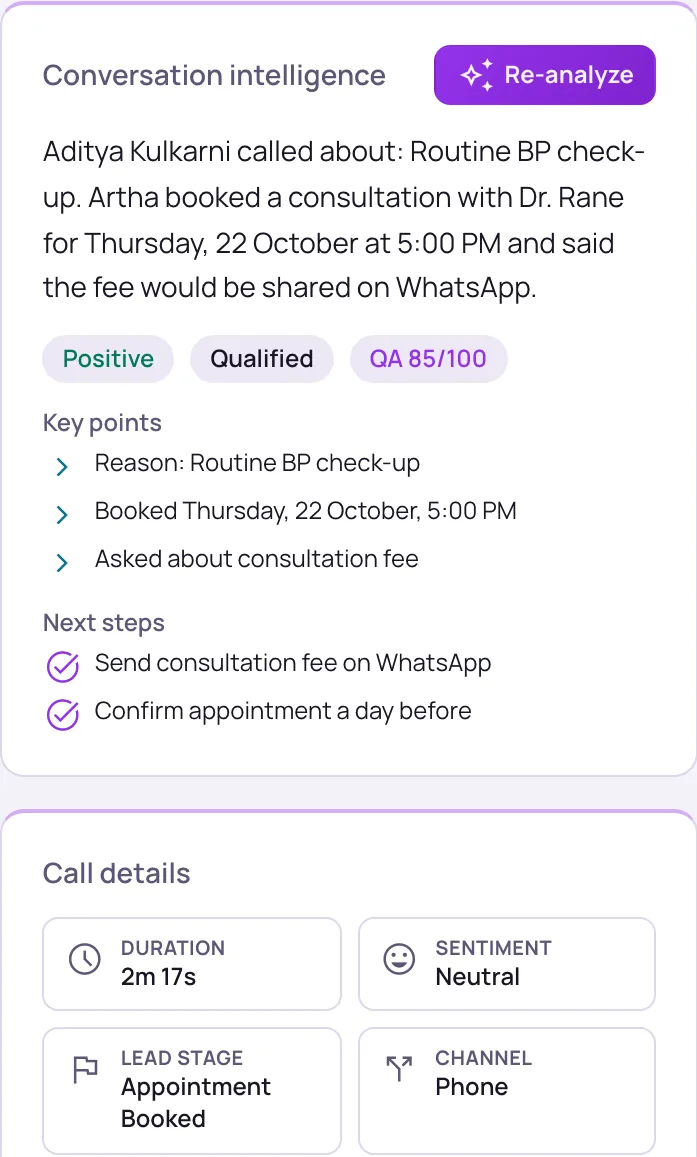
Transcript, summary, captured lead fields, optional recording and CRM or webhook delivery status for every call.
Integrations
Hear it on a real call before you decide.
Artha answers in your language, works on your number and your website, and leaves a record of every call.
Consent and recording, your call
Require spoken consent, switch recording on or off and set how long records are kept.
130+ languages
Hindi, Hinglish and 9 other Indian languages included. The agent follows the caller.
Phone and website
The same agent can answer your number and the call button on your site.
Every call logged
A transcript for every call, plus the lead fields captured and the audio if recording is on.
Ask these before you shortlist, including us.
Which settings can a business user change without help: prompt, voice, language, functions?
How can I test an agent before it takes real calls?
What can the agent do on a call: book, capture fields, transfer, take a callback?
How are answers kept to approved information, and what happens on an unknown question?
What does the call record contain, and can it be sent to a webhook or CRM?
Run the same real-call test before choosing.
First response latency
Interruption handling
Indian names and numbers
CRM payload quality
Real-call scorecard
Run the same real call on every tool you are testing, and check each row
- Languages on real callsYour callers’ language, names and numbers, and a switch mid-call
- SpeedThe pause after the caller stops, on a phone line, not a demo page
- HandoffsA transfer to a person, with the caller’s details passed on
- CRM outputThe right fields, summary and recording in your CRM after the call
- ControlsApproved answers, calling hours and limits you can set yourself
Try it next to what you use today.
Moving to an AI voice agent does not need a cut-over. Run it alongside your current setup on one narrow slice of calls, and keep the old path as fallback until the transcripts convince you.
- Step 1: Build the same simple agent on each builder in an afternoon: greeting, three questions, one booking.
- Step 2: Note how long it took and how many settings were easy to find.
- Step 3: Run an identical set of test calls, including silence, an angry caller and a language switch.
- Step 4: Compare the call records, then choose the builder your team will actually keep maintaining.
The questions buyers ask first.
What does it cost?
Usage is measured in minutes of conversation, and the voice and model you choose change how quickly minutes are used. Telephony is billed separately by the provider you connect.
How pricing worksHow much setup is it?
No code. Set the persona, prompt, voice and language, test it in the browser, then publish. Later changes apply from the next call.
Create an agentCan a person take over?
On phone calls the agent can dial in the colleague you set and stay on until they answer. Website calls take a callback request instead.
Functions and transferWhat if it does not know?
With strict mode on, it quotes your approved answers and says it will check with the team when something is not covered, rather than guessing.
Knowledge baseStill deciding? Ask Artha yourself.
- No signup needed
- Free to try
- 130+ languages
Questions, answered.
The things people ask us most. If yours isn’t here, talk to us and a person will reply.
Ask us directlyTest setup speed, live latency, caller interruptions, multilingual behavior, hallucination controls, CRM payloads, and support for your exact call volume.
Yes. Appointment and next-step workflows are part of Vistrow’s product pages and call flow design.
Yes. That is one of the key differences from phone-only calling tools.
Talk to it in the browser with its exact prompt and voice, or have it ring your phone. The Testing Lab replays scenarios such as an impatient caller or Hindi-English switching and checks the result.
Yes. Strict mode in the knowledge base makes the agent quote your approved answers and say it will check with the team when something is not covered. It reduces improvised answers but cannot guarantee a perfect one, so test it.
Booking appointments, callback requests, lead capture and “do not call me again” are always available; end call, web search and keypad tones can be switched on or off. Phone calls can also be transferred to a person.
Related to Synthflow comparisons
Compare Synthflow with a live Vistrow call.
Test the voice, latency, transcript, and CRM-ready outcome before you decide.
- No signup needed
- Free to try
- 130+ languages