Vistrow Voice
AI answering service

An AI answering service that picks up every call.

Vistrow Voice answers your business line and website calls at any hour, answers questions from information you approve, books appointments or takes a callback request, and hands urgent calls to a person.

  • No signup needed
  • Free to try
  • 130+ languages
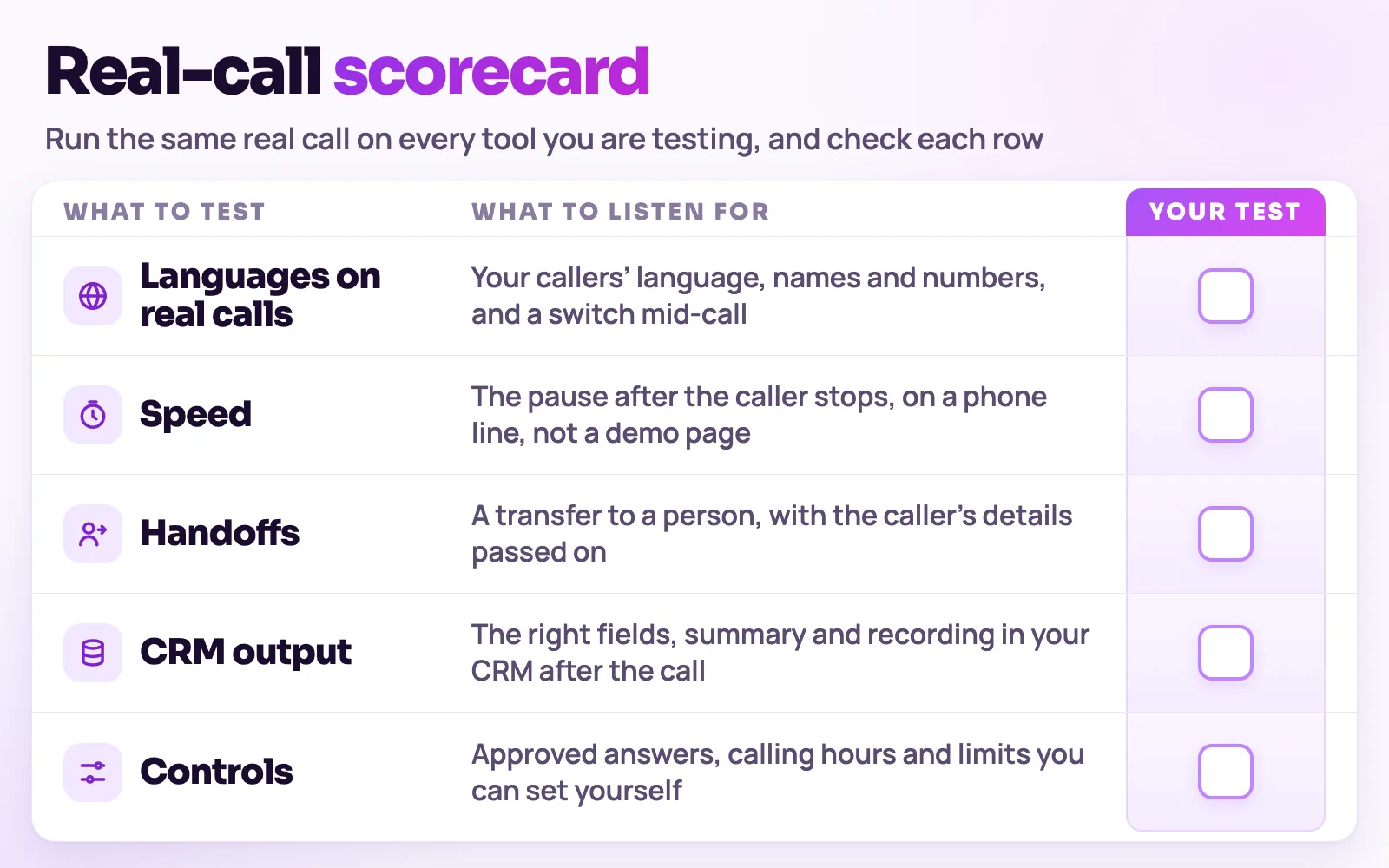
Blank scorecard for testing voice AI tools on the same real call: languages, speed, handoffs, CRM output and controls
Run the same real call on each tool you test and tick each row yourself.
What to check

The parts of the decision, one at a time.

01

What an AI answering service does on a call

It greets the caller in your business name, works out why they called, and finishes the call with a next step instead of a voicemail beep.

  • Answers common questions from your approved knowledge base, such as hours, services and what to bring
  • Books into the Appointments calendar inside the hours and slot length you set, or takes a callback request
  • Transfers phone calls to a number you choose when the caller asks for a person or the call is urgent
  • Saves a transcript, summary and the details captured, so nobody has to listen back to find them
02

How it differs from a live answering service

A live service connects callers to a human operator who follows your script and passes on a message. An AI service answers the same calls with a voice agent and can complete simple tasks on the call itself.

  • Humans are better at upset callers, unusual requests and judgement calls
  • The AI agent answers instantly, follows the same instructions every time and does not depend on staffing
  • Many teams use the agent first and keep a person for the calls it hands over
03

How it differs from voicemail and a phone menu

Voicemail records a message you must act on later, and a press-1 menu makes callers do the work. The agent holds a conversation, so the caller gets an answer or a booking while they are still on the line.

  • No menu to navigate: callers say what they need
  • Callers who would hang up on voicemail get a response
  • Your team reads a summary instead of replaying recordings
04

What you need to get started

Set up takes the same few pieces whatever your industry.

  • A knowledge base with your hours, services, locations and policies
  • A business number from your own telephony provider, connected over SIP, or the website voice widget, which needs no number
  • A transfer number for urgent calls and your booking hours
  • A pilot on one line or one time window before you widen it
Decision rule

Judge the whole call, not the voice.

A good answering service gets the call answered, the question answered or the booking made, and a clean record to your team. Judge each option by those outcomes on your own calls, not by a demo.

  • Transport and listening
  • Thinking and speaking
  • Recordings and transcripts
  • Analytics and CRM delivery
Know the categories

Five ways to cover the phone.

Most businesses mix these. The right mix depends on call volume, hours and how many calls need judgement.

01

Voicemail

Fits when: Very low call volume, where a callback the next day is acceptable.

Trade-off: Many callers do not leave a message, and every message is work for later.

02

In-house receptionist

Fits when: Busy front desks where callers expect a known person during opening hours.

Trade-off: Covers one shift at a time; breaks, holidays and peaks leave gaps.

03

Live answering service

Fits when: Businesses that want a human voice on every call, including nights.

Trade-off: Operators work from a script and usually take messages rather than complete tasks.

04

AI answering service

Fits when: Routine calls that follow a pattern: questions, bookings, callbacks, lead details.

Trade-off: Needs good approved information and a clear route to a person for sensitive calls.

05

Hybrid

Fits when: Teams that want the agent to take the first call and a person for escalations.

Trade-off: Takes a short pilot to decide which calls should always go to a person.

Selection checklist

Score every option on the same ten points.

Score every option on the same ten points.
CriterionWhat good looks likeHow to test it
01Answers every callCalls are picked up at any hour you choose, including holidays.Call at 2 am and on a public holiday and note what happens.
02Correct answersIt answers from your approved information and says so when it does not know.Ask three questions that are not in your information and see whether it invents answers.
03Completes tasksIt books a slot or records a callback request with a time, not only a message.Book, reschedule and request a callback on separate calls.
04Human handoffA phone call can reach a person, with context passed on.Ask for a person and time how long the handover takes.
05Urgent callsCalls you mark as urgent go to a person, not a queue.Describe an emergency and check where the call ends up.
06Accent and languageThe voice and accent suit your callers, and it follows a caller who switches language.Have callers with the accents your customers use ring in.
07Call recordTranscript, summary and captured details for every call.Open the record of a test call and check it is usable without the audio.
08Where records goRecords reach your CRM, spreadsheet, Slack or webhook.Send a test call through to the tool your team uses.
09Disclosure and recordingYou control the opening line, whether calls are recorded and how long records are kept.Read the opening line and the retention setting before launch.
10Cost you can predictYou know how usage is counted and where telephony is billed.Price a month of your own call volume in writing from the plan page.
This is a selection guide, not a ranking. Test every option, including Vistrow Voice, on your own calls before you decide.
Run a fair trial

Run a one-week pilot in five steps.

  1. Step 1: List the call types you receive and pick one to start with, such as new enquiries or appointment requests.
  2. Step 2: Write the facts the agent may use and the point at which it must hand over to a person.
  3. Step 3: Connect a business number from your provider, or add the website voice widget, and route one line or one time window to the agent.
  4. Step 4: Read the transcripts next to the recordings each day, and fix every wrong or missing answer in the knowledge base.
  5. Step 5: Widen to more hours or more call types only when the calls end in a booking, a callback or a correct answer.
Before you decide

The questions buyers ask first.

What does it cost?

Usage is measured in minutes of conversation, and the voice and model you choose change how quickly minutes are used. Telephony is billed separately by the provider you connect.

How pricing works

How much setup is it?

No code. Set the persona, prompt, voice and language, test it in the browser, then publish. Later changes apply from the next call.

Create an agent

Can a person take over?

On phone calls the agent can dial in the colleague you set and stay on until they answer. Website calls take a callback request instead.

Functions and transfer

What if it does not know?

With strict mode on, it quotes your approved answers and says it will check with the team when something is not covered, rather than guessing.

Knowledge base

Still deciding? Ask Artha yourself.

  • No signup needed
  • Free to try
  • 130+ languages
FAQ

Questions, answered.

The things people ask us most. If yours isn’t here, talk to us and a person will reply.

Ask us directly

An AI answering service uses a voice agent to answer your business calls. It greets the caller, answers questions from information you approve, books an appointment or takes a callback request, and passes urgent calls to a person. Every call is saved with a transcript and summary.

It depends on the calls. An AI agent answers instantly and handles routine calls the same way every time. A human operator is better for upset callers and unusual requests. Many businesses use the agent first and keep a person for the calls it hands over.

Yes, on phone calls. You set a transfer number and the agent can dial your colleague into the call. A call from the website widget runs in the browser and cannot be transferred to a phone, so the agent takes a callback number instead.

No. You connect a number from your own telephony provider over SIP, and overseas calling depends on that provider. The website voice widget needs no phone number at all.

Yes. American and British English voices are set up with you on request, and the agent can also follow a caller into Hindi, Punjabi and other supported languages if they switch.

Calls are billed in credits by the minute of conversation and each plan includes a monthly allowance. The plans and what each includes are on the pricing page.

Live demo

Put an AI agent on every call.

Try Artha live in your browser, or book a walkthrough with our team.

  • No signup needed
  • Free to try
  • 130+ languages

Related guides

Night-time calls need their own plan; read what callers should get from after-hours AI answering.