
Website voice widget vs chat widget for lead capture
Most websites offer a chat bubble by default. A voice button works differently and suits different visitors. Here is how the two compare for capturing leads, and how to find out which works on your site.
The short answer
A website voice widget lets visitors talk to an AI agent in the browser; a chat widget lets them type. Voice suits mobile visitors, longer questions and people who would rather speak than write. Chat suits quiet settings and exact details. For lead capture, the best answer is often both, tested on your own pages.
- 01What is the difference between a website voice widget and a chat widget?
- 02Which one captures more leads?
- 03When does a voice widget work better?
- 04When does a chat widget work better?
- 05Can you offer voice and chat in the same widget?
- 06How do leads from each widget reach your CRM?
- 07How do you test voice against chat on your own site?
What is the difference between a website voice widget and a chat widget?
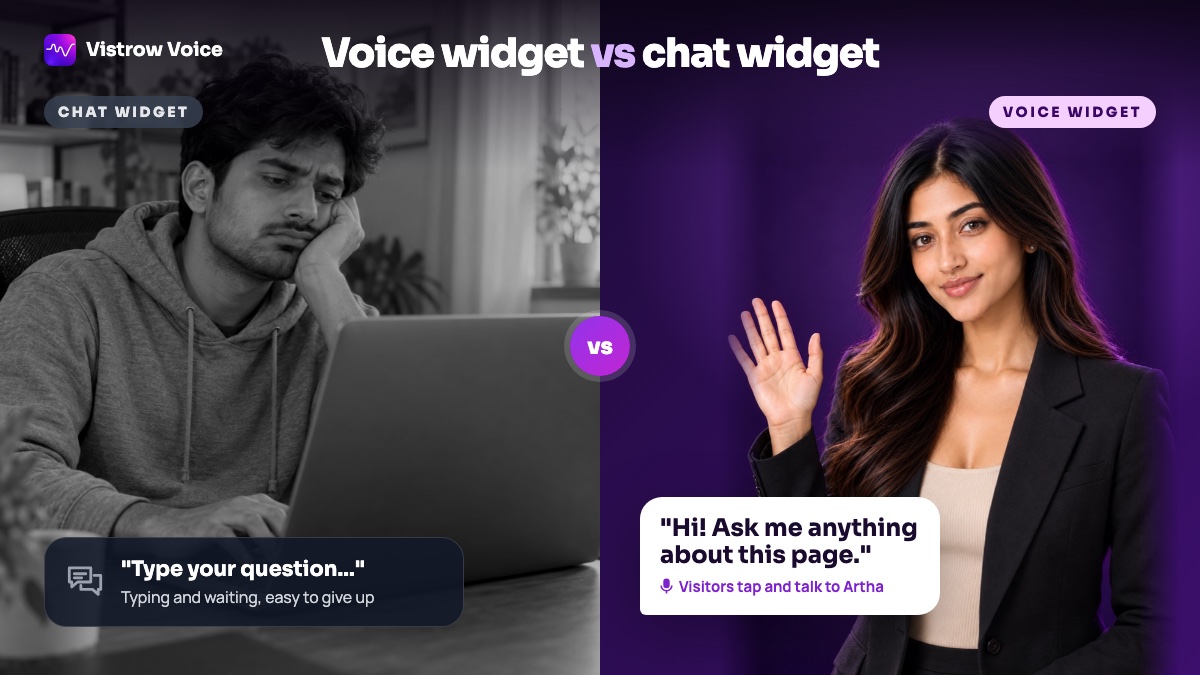
A chat widget opens a text window: the visitor types, the bot or a person replies in text. A website voice widget opens a spoken conversation in the browser: the visitor taps a button, talks, and an AI agent answers out loud. There is no phone number to dial and nothing to install.
Both can answer questions from your approved information and capture a lead. The difference is effort and context. Typing suits a desk and a precise question; talking suits a phone screen and a question that takes a few sentences to explain. The Vistrow Voice website call widget supports both, and our guide to using a website voice widget for lead generation covers how to make the conversation useful.
To add a talk button to your site, see the website voice and chat widget or browse the CRM and webhook integrations.
Which one captures more leads?
There is no independent, controlled study that settles it, and anyone who quotes a universal conversion figure is selling something. The honest answer is that it depends on your visitors, your pages and the question they arrive with. What you can compare is how each one handles the moments where leads are usually lost.
Treat the claims you read, including ours, as hypotheses to test on your own traffic. The AI voice agent compared with chatbots and IVR explains the wider difference between spoken and typed conversations.
- Mobile visitors: typing on a phone is slow, so voice usually asks less of them.
- Complex needs: a buyer explaining a project or a problem says more in 30 seconds of speech than in a typed line.
- Language: visitors who speak Hindi, Tamil or Punjabi comfortably may not type it comfortably.
- Exact details: email addresses, order references and links are easier to type than to say.
When does a voice widget work better?
Voice works best on pages where visitors arrive with a real question and some intent: a property listing, a clinic's services page, a course page, a high-value product. It also helps regional-language audiences. Vistrow Voice speaks more than 130 languages, including Hindi, English and nine other Indian languages (Marathi, Tamil, Telugu, Kannada, Malayalam, Gujarati, Bengali, Punjabi, Odia), and the Hindi AI voice agent page has a sample conversation.
Because the call runs in the browser, it works for visitors in any country, which helps businesses whose customers are abroad. Page rules can send each page to a different agent, so a listing page can have an agent that knows only that listing; the page rules guide explains the setup.
Voice also changes what a lead looks like. A typed lead is often one line: "price?" A spoken one tends to include the visitor's situation, timeline and constraints, because people explain more when they talk. That gives your sales team a better first call, but only if the transcript and summary reach them.
When does a chat widget work better?
Chat wins when the visitor cannot talk: an open-plan office, a train, late at night with family asleep. It also wins when the answer is something to copy, such as a link, a code or an address, and when a visitor would rather not say their question out loud. Some visitors simply prefer typing.
Voice has one extra step. A browser call needs microphone access, and browsers only allow it on secure (HTTPS) pages and after the visitor grants permission. Some visitors will decline. That is why a chat fallback matters. The guide to adding the call button explains how to place the widget and pick its agent.
A chat widget is also easier to skim later. Your team can read a typed conversation in seconds, while a voice conversation needs a good transcript and summary to be just as quick to review.
Can you offer voice and chat in the same widget?
Yes, and for most sites that is the safer starting point. The Vistrow Voice widget can run as a voice call that visitors can also type into, let them choose between voice and chat, or run as text chat only. The same agent, prompt and knowledge base sit behind every mode, so answers stay consistent whichever way the visitor picks.
Keep the agent grounded in facts you have approved. The knowledge base with strict mode makes the agent quote your approved answers and say it will check with the team when something is not covered, which matters as much in chat as it does in a call.
Choose the widget's face and greeting to match the mode. An animated orb or the Artha presenter can sit on the button, and a short greeting bubble that says what the agent can help with, such as "Ask about this flat", tells visitors more than a generic "Talk to us".
How do leads from each widget reach your CRM?
A lead only counts if it reaches the person who follows up. You can ask visitors for their name, phone number and email before the conversation starts, choosing Don't ask, Optional or Required for each, so every conversation can arrive as a contactable lead. Each conversation is saved with its transcript, summary and the page it started from.
Leads then go where your team works. Vistrow Voice can send them to Zoho CRM, Google Sheets, Slack and ArthaLeads, and posts events as JSON to any webhook; the integrations for CRM, Sheets, Slack and webhooks page lists the options. Our guide to connecting voice calls to your CRM explains which fields to map.
How do you test voice against chat on your own site?
Pick one high-intent page and run the widget in "let visitors choose" mode for a few weeks. Count three things for each mode: conversations started, conversations completed, and leads your team judged worth a follow-up. Opens alone tell you little.
Read a sample of transcripts from each mode. Look at what voice visitors asked that chat visitors did not, where each mode lost people, and which leads turned into meetings or bookings. Then set the default to whatever your own visitors preferred, keep the other as a fallback, and check the Vistrow Voice pricing page before rolling it out across the site.
Run the test long enough to cover normal variation, including weekends and any campaign that changes your traffic. A few dozen conversations per mode is a sensible minimum before drawing conclusions.
Frequently asked questions
Do visitors need to install anything to use a voice widget?
No. The conversation runs in the browser. The browser asks for microphone permission the first time.
Does a website voice widget work on mobile?
Yes. It works in mobile and desktop browsers, and mobile is often where voice helps most.
Can the same widget offer text chat?
Yes. It can run as voice, as text chat only, or let visitors choose between them.
Can a website conversation be transferred to my phone?
No. Website conversations cannot be transferred to a phone, so the agent takes a callback number instead.
Is voice always better than chat for leads?
No. It depends on your visitors, your pages and their questions. Offer both, then measure completed conversations and qualified leads for each mode before choosing a default.
Sources and references
Published sources behind the facts and figures. The examples and checklists above are our own guidance.