
Marathi Site Visit Booking Demo Call
A Marathi real estate demo call showing how an AI voice agent confirms buyer interest, preferred time, and site-visit next steps.
- No signup needed
- Free to try
- 130+ languages

Artha
Marathi + Hindi
A representative script written for this page. It is not a recording of a real customer.
Agent
Namaskar, tumhi project sathi enquiry keli hoti. Site visit schedule karaychi aahe ka?
Caller
Ho, Saturday la possible aahe ka?
Agent
Saturday cha preference note karto. Morning ki afternoon chaalel?
Caller
Afternoon.
Agent
Perfect. Sales team exact slot confirm karun tumhala details pathavel.
A buyer wants to schedule a site visit for a project in Pune.
Language
Marathi + Hindi
Outcome
Site-visit request captured with preferred day and buyer context.
The call, step by step.
Site visits are where many property enquiries either move forward or stall. Taking the preferred day and time during the first call, in the language the buyer is comfortable with, gives your team a concrete visit to confirm rather than a vague interest to chase.
Step 1: The agent confirms the enquiry
It opens in Marathi, mentions the project enquiry and asks whether the caller wants to schedule a site visit.Step 2: A day, then a part of the day
The caller prefers Saturday. The agent notes the day, then narrows it with one question: morning or afternoon.Step 3: A clear next step
In this sample the agent captures the preference and says the sales team will confirm the exact slot and send the details. It does not promise a time it has not booked.Step 4: Booking directly, if you set it up
With scheduling configured, the agent can instead offer real free slots and confirm only once the booking has saved. It can also take a callback request if no slot suits.
Hear it on a real call before you decide.
Artha answers in your language, works on your number and your website, and leaves a record of every call.
Consent and recording, your call
Require spoken consent, switch recording on or off and set how long records are kept.
130+ languages
Hindi, Hinglish and 9 other Indian languages included. The agent follows the caller.
Phone and website
The same agent can answer your number and the call button on your site.
Every call logged
A transcript for every call, plus the lead fields captured and the audio if recording is on.
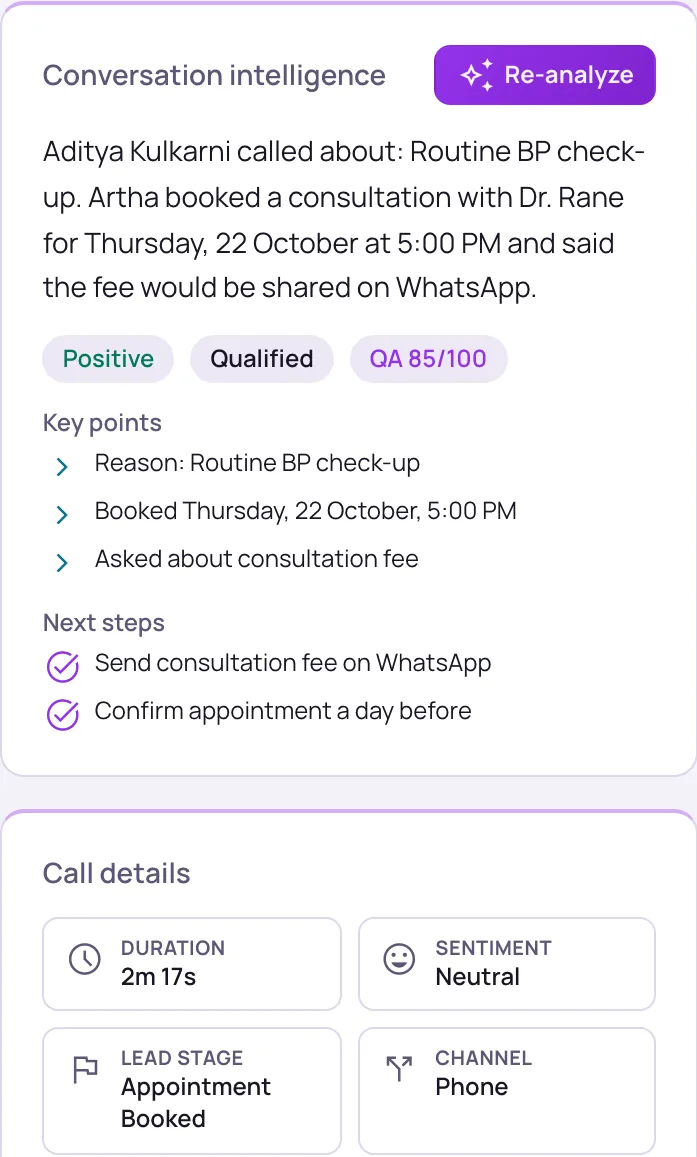
What the team receives after the call.
Language
Marathi
Intent
Site visit
Preferred time
Saturday afternoon
Next step
Confirm slot and send details
Public demo pages use representative scripts. Real recordings should only be published with consent.
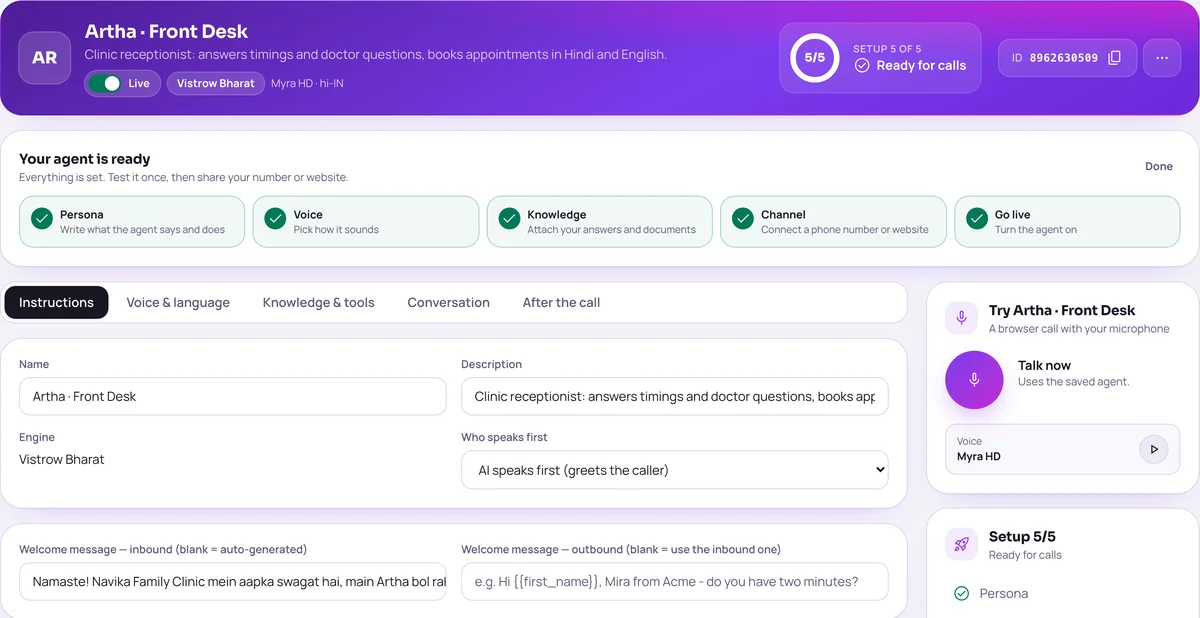
Setting up a call like this.
These are the dashboard settings behind the sample. Your own agent uses your project facts, hours and rules.
Bookable hours
Set business hours per day, slot length from 15 to 60 minutes, timezone and blackout dates under Settings, Scheduling.
Appointments calendar
Visits appear in Appointments, where your team can reschedule them or mark them confirmed, completed, cancelled or no-show.
Team follow-up
Send the call summary and the caller’s preference to your team through Slack, your CRM or a webhook, so they can confirm the visit.
Marathi and Hindi
The agent can follow a caller who moves between Marathi, Hindi and English mid-call.
Related pages for this scenario.
The questions buyers ask first.
What does it cost?
Usage is measured in minutes of conversation, and the voice and model you choose change how quickly minutes are used. Telephony is billed separately by the provider you connect.
How pricing worksHow much setup is it?
No code. Set the persona, prompt, voice and language, test it in the browser, then publish. Later changes apply from the next call.
Create an agentCan a person take over?
On phone calls the agent can dial in the colleague you set and stay on until they answer. Website calls take a callback request instead.
Functions and transferWhat if it does not know?
With strict mode on, it quotes your approved answers and says it will check with the team when something is not covered, rather than guessing.
Knowledge baseStill deciding? Ask Artha yourself.
- No signup needed
- Free to try
- 130+ languages
Questions, answered.
The things people ask us most. If yours isn’t here, talk to us and a person will reply.
Ask us directlyYes. Agents book into the Appointments calendar built into Vistrow Voice, using the hours, slot length and blackout dates you set, and a team admin can sync it with Google Calendar or Cal.com. If you have not set scheduling up, the agent can capture the preferred slot and hand it to the sales team, as in this sample.
Yes. The agent can follow mixed Marathi, Hindi, and English depending on the configured voice pipeline.
They receive the caller details, transcript, summary, preferred slot, and lead outcome.
The agent takes a callback request with the caller’s preferred date and time, so the call still ends with a next step for your team.
It depends on how you configure it. This sample shows a preference being captured. With scheduling set up, the agent offers real free slots and confirms only after the booking has saved.
The agent tells them the sales team will send the details. You can send the call summary to your team through Slack, your CRM or a webhook so they follow up promptly.
Want this with your own call script?
Send us your industry, language, lead fields, and CRM destination, and we’ll configure a live test flow.
- No signup needed
- Free to try
- 130+ languages