
Telugu Website Widget Voice Call Demo
See how a Telugu-speaking website visitor can start a voice conversation in the browser and become a structured lead record.
- No signup needed
- Free to try
- 130+ languages

Artha
Telugu + English
A representative script written for this page. It is not a recording of a real customer.
Agent
Namaskaram, thanks for visiting. Are you looking for pricing, availability, or a site visit?
Caller
Pricing and location details kavali.
Agent
I can help. Are you exploring for investment or own use?
Caller
Investment.
Agent
Noted. I will share your interest with the team along with this page and call summary.
A website visitor taps the voice widget and asks about a property project.
Language
Telugu + English
Outcome
Website conversation converted into a CRM-ready lead.
The call, step by step.
A visitor who has a question but not enough patience to fill in a form often leaves. A voice button lets them ask in their own language at the moment they are interested, and the lead that results arrives with the page they were on.
Step 1: The visitor taps the button
On a project page, a visitor taps the call button. The call runs in the browser using their microphone, so there is no number to dial and nothing to install.Step 2: A short greeting, then a question
The agent greets them in Telugu and asks what they want: pricing, availability or a site visit.Step 3: It asks only what it needs
The visitor wants pricing and location details and says the interest is investment. The agent records that and does not push for more than the call needs.Step 4: The page comes with the lead
The call record shows the website and the exact page the call started from, so the team knows which project the visitor was reading.
Hear it on a real call before you decide.
Artha answers in your language, works on your number and your website, and leaves a record of every call.
Consent and recording, your call
Require spoken consent, switch recording on or off and set how long records are kept.
130+ languages
Hindi, Hinglish and 9 other Indian languages included. The agent follows the caller.
Phone and website
The same agent can answer your number and the call button on your site.
Every call logged
A transcript for every call, plus the lead fields captured and the audio if recording is on.
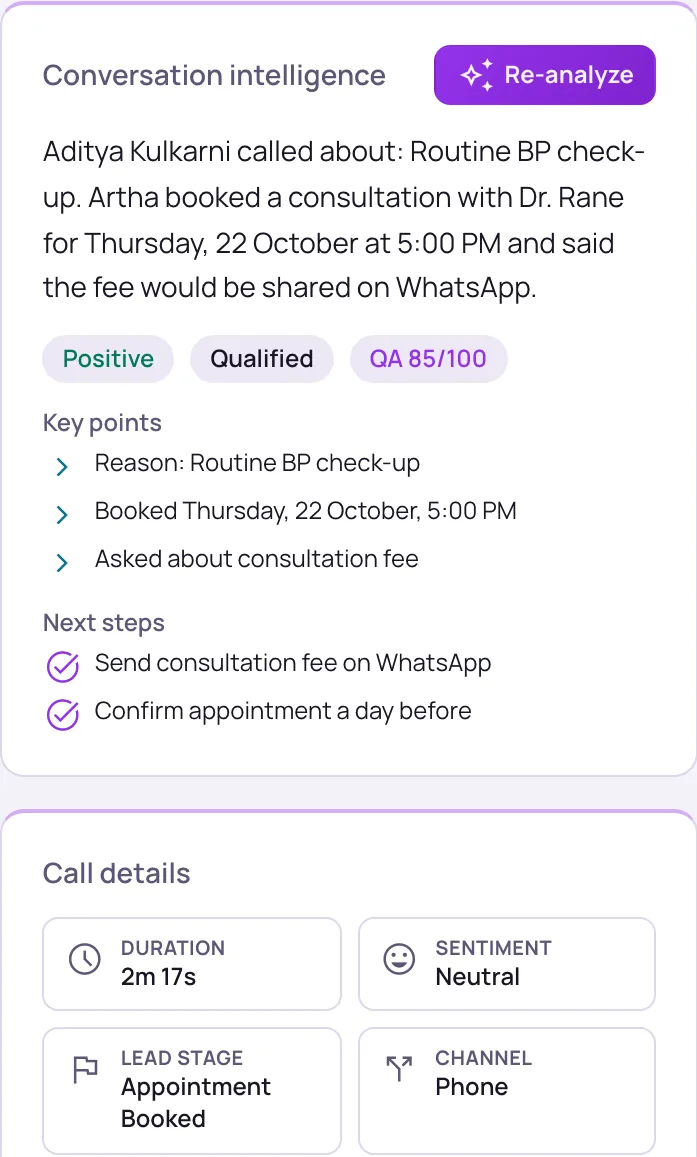
What the team receives after the call.
Channel
Website widget
Language
Telugu + English
Purpose
Investment
Next step
Pricing/location follow-up
Public demo pages use representative scripts. Real recordings should only be published with consent.
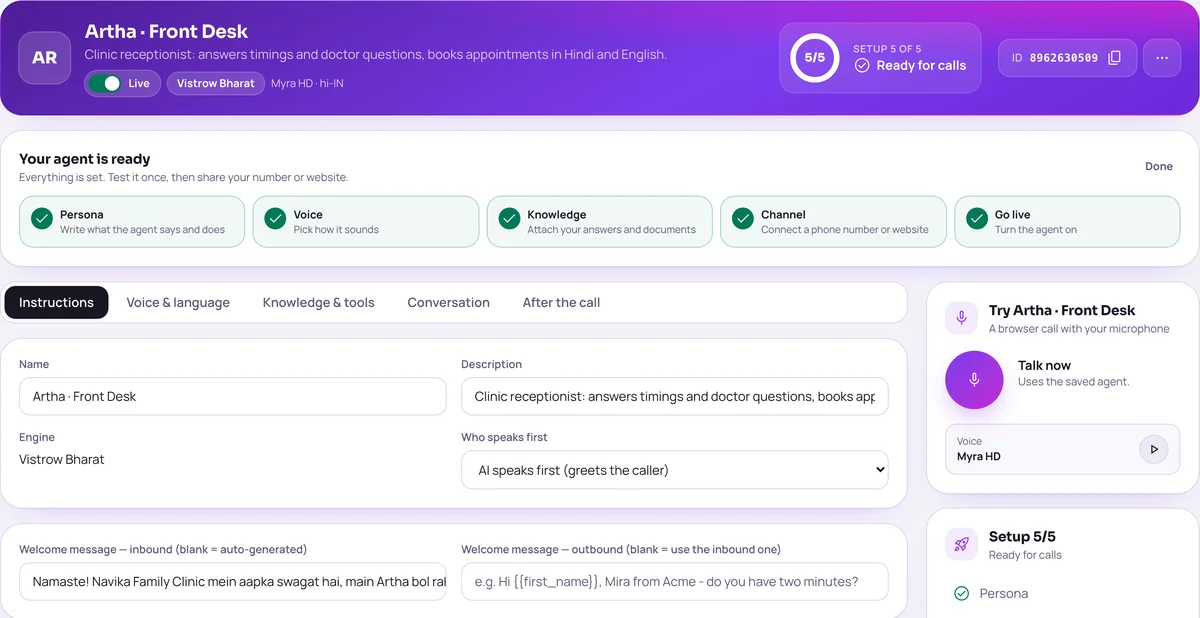
Setting up a call like this.
These are the dashboard settings behind the sample. Your own agent uses your project facts, hours and rules.
Add the website
In Website Widget, name the site, pick the agent, the corner and the button label, then paste the script tag or use the WordPress plugin.
Add the call buttonAsk before starting
For name, phone and email choose Don’t ask, Optional or Required. With all three off the call starts on a single tap.
Page rules
Send visitors on a particular page to a different agent with its own greeting, for example one project page to an agent that knows only that project.
Page rulesVoice, chat or both
Offer voice, text chat only, or let the visitor choose. Microphone permission comes from the visitor’s browser.
Related pages for this scenario.
The questions buyers ask first.
What does it cost?
Usage is measured in minutes of conversation, and the voice and model you choose change how quickly minutes are used. Telephony is billed separately by the provider you connect.
How pricing worksHow much setup is it?
No code. Set the persona, prompt, voice and language, test it in the browser, then publish. Later changes apply from the next call.
Create an agentCan a person take over?
On phone calls the agent can dial in the colleague you set and stay on until they answer. Website calls take a callback request instead.
Functions and transferWhat if it does not know?
With strict mode on, it quotes your approved answers and says it will check with the team when something is not covered, rather than guessing.
Knowledge baseStill deciding? Ask Artha yourself.
- No signup needed
- Free to try
- 130+ languages
Questions, answered.
The things people ask us most. If yours isn’t here, talk to us and a person will reply.
Ask us directlyNo. The website widget starts a browser voice conversation. You can still collect name and phone before or during the call.
Yes. Vistrow can include the website and page path in the call record and webhook payload.
Yes, where recording is enabled and compliant with your consent and retention policy.
Yes. It works in desktop and mobile browsers. The browser asks the visitor for microphone permission before the call begins.
Yes. Page rules route visitors on matching pages to a different agent, with its own greeting and avatar.
Yes, if you enable chat. The widget can be voice, text chat only, or let the visitor choose.
Want this with your own call script?
Send us your industry, language, lead fields, and CRM destination, and we’ll configure a live test flow.
- No signup needed
- Free to try
- 130+ languages