
Conversational AI IVR for banks and NBFCs
Bank phone menus are long because banking calls are varied and some are sensitive. A conversational front door can shorten the wait without touching the secure steps. Here is where AI fits in a bank or NBFC call flow, and where it must stop.
The short answer
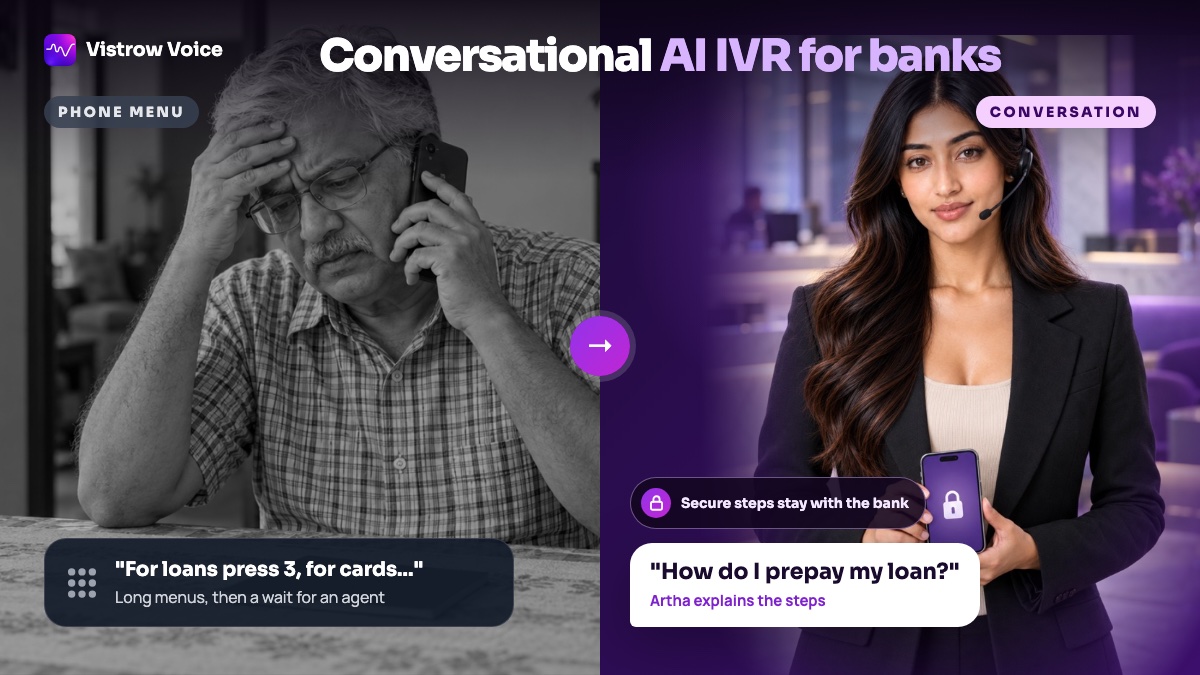
A conversational AI IVR lets bank and NBFC customers say what they need instead of pressing through menus. It answers product and process questions, routes calls and runs reminder campaigns. Secure steps stay with the bank: the AI never asks for or accepts PINs, OTPs, card numbers, CVVs or passwords, and hands those tasks to the bank's own secure channels.
- 01What is a conversational AI IVR for banks and NBFCs?
- 02Which banking calls can a conversation handle?
- 03What must stay with the bank's secure systems?
- 04How does the handoff to secure steps work?
- 05How do EMI and renewal reminders fit?
- 06Which languages should a banking AI IVR speak?
- 07How should a bank or NBFC pilot a conversational IVR?
What is a conversational AI IVR for banks and NBFCs?
A conventional banking IVR plays a menu and waits for key presses. A conversational AI IVR asks "How can I help you today?" and understands the answer, then gives the information, routes the call or books a callback. Our guide to replacing phone menus with a conversation explains the general idea, and the AI IVR replacement page shows how it works on Vistrow Voice.
For banks and NBFCs the design question is different from other businesses: some calls are simple enquiries, and some involve money, identity and fraud risk. The live post on IVR in banking and finance covers which calls suit a conversation. This guide focuses on the boundary: what the AI handles, what stays with the bank, and how the handoff between them works.
To plan a banking line, see voice AI for finance and collections and how an AI IVR replaces the phone menu.
Which banking calls can a conversation handle?
Start with calls that need no account access: product questions, eligibility and document lists for loans, branch and service timings, how to raise a request, and what happens next in a process. These are often the calls that clog the menu, and an agent answering from approved information can deal with them in one turn.
Vistrow Voice answers these calls from your approved knowledge base, captures the caller's request as structured fields and routes or books the next step. The voice AI for finance and collections page lists the call types lenders start with.
- Product and eligibility questions for loans, deposits and cards.
- Document checklists and process steps for applications and closures.
- Callback requests for a relationship manager or loan officer.
- Routing a caller to the right team without a nested menu.
What must stay with the bank's secure systems?
Anything that authenticates the customer or moves money stays with the bank. The Reserve Bank of India has reminded customers that banks and other payment system operators never ask for details such as passwords, PINs, OTPs or CVV numbers. A conversational agent should reinforce that message, not blur it.
Write it as a fixed rule: the agent never asks for, repeats or accepts a PIN, OTP, card number, CVV, password or net banking login. If a caller starts to read one out, the agent stops them, reminds them not to share it on a call, and offers the bank's secure route instead. Card blocking, disputes, fraud reports and transactions go to the bank's own secure IVR or staff.
Keep rates, charges and terms in the knowledge base of approved answers and switch on strict mode, so the agent quotes the wording your compliance team signed off instead of paraphrasing it. When a caller asks about their own account, such as a balance or a specific transaction, the agent explains the secure route rather than guessing or looking it up without verification.
- Never collected: PINs, OTPs, card numbers, CVVs, passwords and logins.
- Always routed: fraud reports, card blocking, disputes and transactions.
- Always approved: every answer about rates, charges and terms comes from your knowledge base.
How does the handoff to secure steps work?
The simplest design puts the conversation in front and your existing secure flow behind it. When the caller needs a secure step, the agent transfers the call to the number that leads to your secure IVR or to staff. On phone calls the agent dials that line into the call and stays on until it answers, as the functions and transfer guide explains.
Agree the transfer triggers with your risk team before launch, and test each one. A conversation started from the website widget cannot be transferred to a phone, so there the agent gives the official helpline route or takes a callback request instead. The comparison of an AI voice agent and a traditional IVR shows why many teams keep the menu for secure steps while the conversation handles everything else.
How do EMI and renewal reminders fit?
Outbound reminders are a common first project for NBFCs. An agent calls the customer, states who is calling and why, reminds them of the due date and records any date they promise, which your team can act on. The outbound calling campaigns page shows the setup.
Every dial is checked against your Do-Not-Call list and calling window first, as the calling window and Do-Not-Call guide explains. Keep the tone polite and factual, give a clear way to reach a person, and never threaten. The agent should not take payment details on the call; it can point the customer to your official payment channels.
Which languages should a banking AI IVR speak?
Customers explain money problems best in their own language, and many would rather not navigate an English menu. Vistrow Voice speaks more than 130 languages, including Hindi, English and nine other Indian languages (Marathi, Tamil, Telugu, Kannada, Malayalam, Gujarati, Bengali, Punjabi, Odia), and follows a caller who switches mid-call. The supported languages page has a page for each Indian language.
Match the languages to your branch network. A lender in West Bengal, for example, might open in Bengali and follow callers into Hindi or English; our Bengali AI voice agent guide covers what to test for that.
How should a bank or NBFC pilot a conversational IVR?
Pick one line and one call type, such as loan product enquiries or EMI reminders. Get sign-off from compliance and risk on the script, the secure-step rule and the transfer triggers. Decide whether calls are recorded, what customers are told at the start and how long recordings are kept; the consent, recording and retention guide covers the settings, and the Vistrow Voice security overview lists the controls in place today.
Then test with staff playing difficult callers, including one who tries to read out an OTP and one who reports a lost card. Read every transcript in the first week. Measure how many callers got an answer without a menu, how many were transferred correctly and how many complained. Send outcomes to your systems through CRM and webhook integrations, and compare plans on the Vistrow Voice pricing page.
Frequently asked questions
Can a conversational AI IVR replace a bank's secure IVR?
It should sit in front of it, not replace it. The AI handles enquiries and routing, and secure steps such as authentication, card blocking and transactions stay with the bank's own systems.
Will the AI ever ask for an OTP or PIN?
No. It is set never to ask for, repeat or accept a PIN, OTP, card number, CVV or password, and to warn callers not to share them.
Can it report a lost card?
It recognises the request and transfers the caller straight to the bank's secure line or staff. It does not block the card itself.
Can an NBFC use it for EMI reminders?
Yes. An outbound campaign can remind customers of due dates and record promised payment dates, inside your calling window and Do-Not-Call rules.
Which languages can bank customers use?
Hindi, English and the other supported Indian languages, including Marathi, Tamil, Telugu, Kannada, Malayalam, Gujarati, Bengali, Punjabi and Odia, with the agent following a caller who switches.
Sources and references
Published sources behind the facts and figures. The examples and checklists above are our own guidance.